HOWTO: Monitor Panel
90
© 2014 by Roadtrek, Inc.
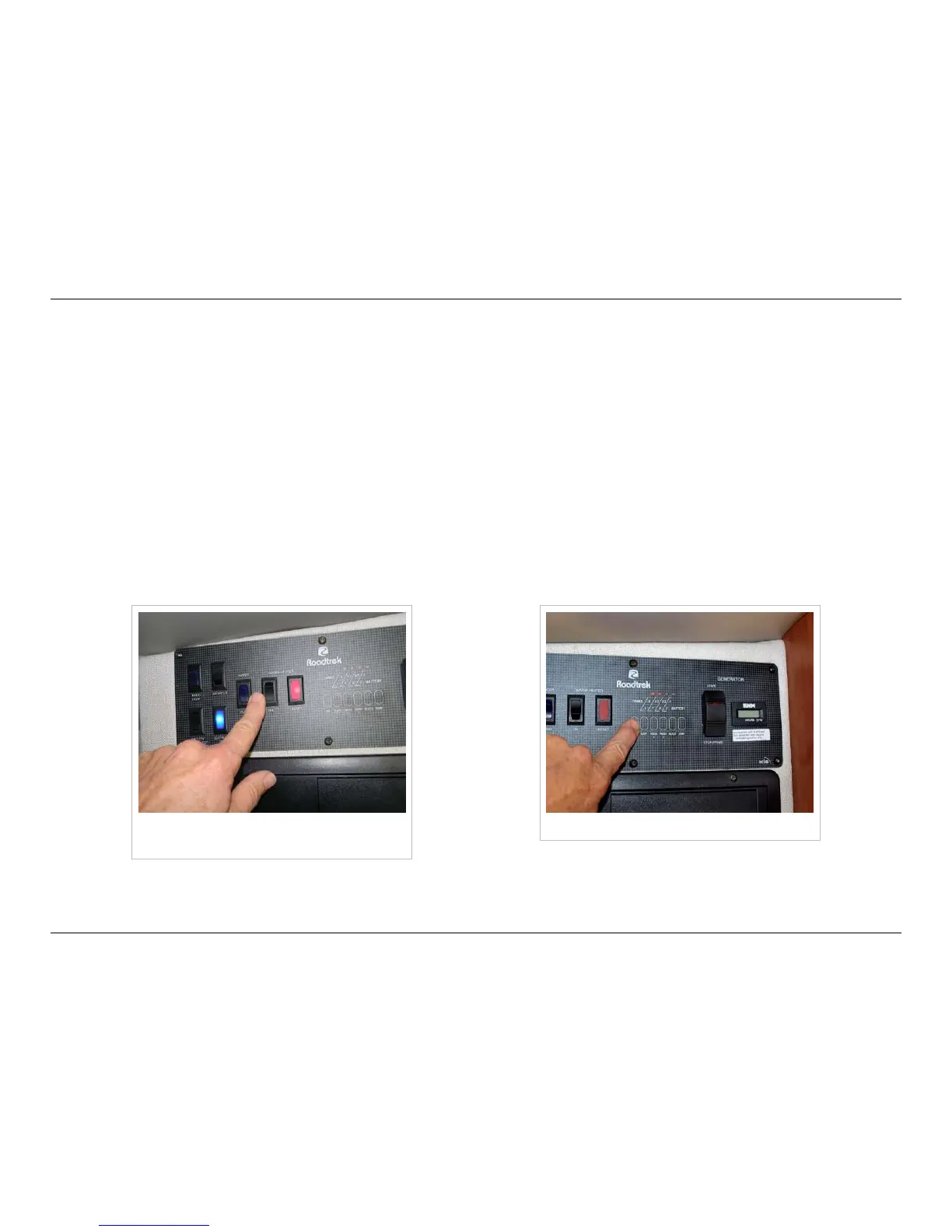
Water Pump Switch
The centered switch to the right of the leftmost four switches is the water pump switch. It should be on only when you have
water in the fresh water tanks and wish to use the sinks, showers, or toilet. The pump should not be run without water. As
with the patio light switch, pressing the top of the button turns the pump on, and pressing the bottom turns it off.
Water Heater Switch
The water heater switch is to the right of the water pump switch. As with all the other switches on the monitor panel, the
battery disconnect switch must be on for the water heater to work. Even though the water heater uses propane to heat the
water, all the igniters and controls are electrical. Be sure that the water heater is full of water before turning it on - if water
comes out of the hot water faucets when they are opened, the water heater has water in it. After turning it on, the red light to
the right of the switch will come on for a few seconds, than go off as the burner ignites. If the light keeps going off and on,
your burner is not lighting. Make sure that you have propane in your propane tank and that the main valve is open. If the
stove burners light, your propane supply is good.
Water heater switch and red indicator
light
Tank level indicators













 To Next Page