33
© Erwin Hymer Group North America, Inc., R00
Monitor Panel
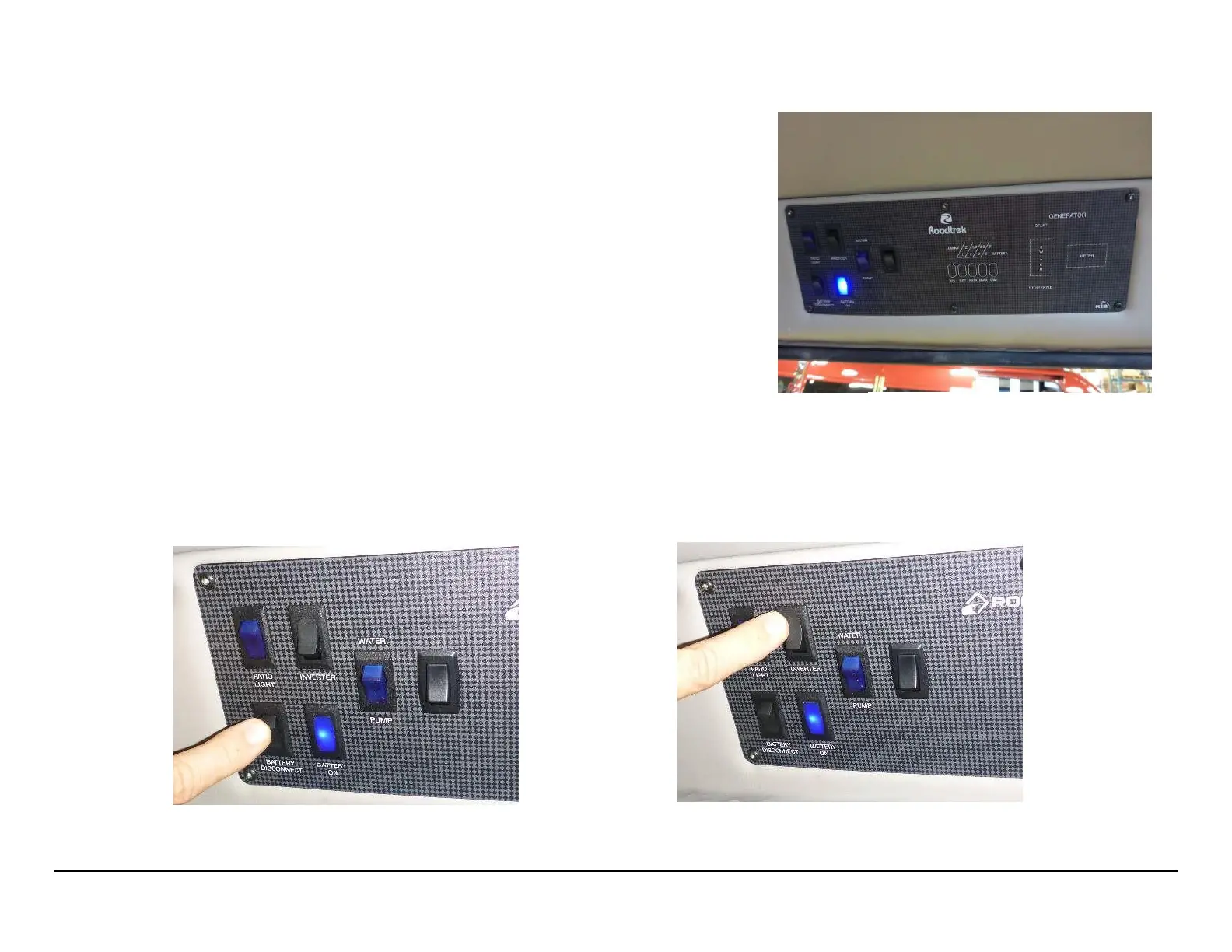
The monitor panel is located inside the side door, above the doorframe, to the left of the bathroom.
Power Sources
The monitor panel controls 2 separate power sources; the 12-volt DC power and the 120-volt AC
power via the inverter, shore power, or optional generator.
12-Volt DC Power
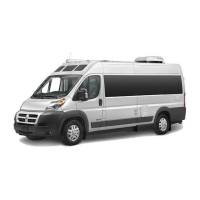
The power to the 12-volt DC outlets and appliances is controlled by the battery disconnect switch to
the lower left.
On the bottom left where the battery disconnect switch is located, which supplies 12-volt battery
power to the 12-volt light and other cabin appliances. This switch must be on for any of the 12-volt
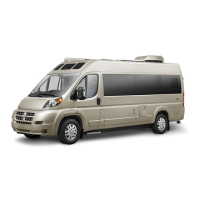
electrical devices to work. To avoid discharging the batteries when your Roadtrek is not in use,
remember to turn off two switches:
• The inverter switch
• The battery disconnect switch
The battery disconnect switch has a blue indicator light to the right of it to show you when the battery power is on.



 To Next Page