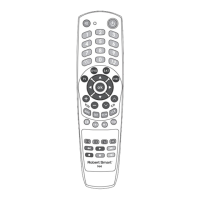
Point the remote control at the
device and try pressing some keys
on the remote control. If some or
all of the main keys do not work,
repeat the steps in 1 and 2.
Manually turn on the TV - it must
be fully turned on and not just in
standby mode!
B. ENTER THE CODE FROM THE CODE TABLE
To start entering the code by using this function, open the table of
codes found at the end of the manual. This manual contains codes of
most common brands. If your device is not among these brands, use the
Automatic Code Search function (see Section C).
Search in the code list ('Setup codes for TV') for the brand of your device
and look for the corresponding numerical code.
POPULAR BRANDS
IMPORTANT: The codes are sorted by prevalence with a brand. This means
that the rst codes in the list are used most commonly. This is why you must
begin entering the code in a logical sequence, starting with the rst, second,
third, etc. Do not start entering the codes from the middle or the end of the list.
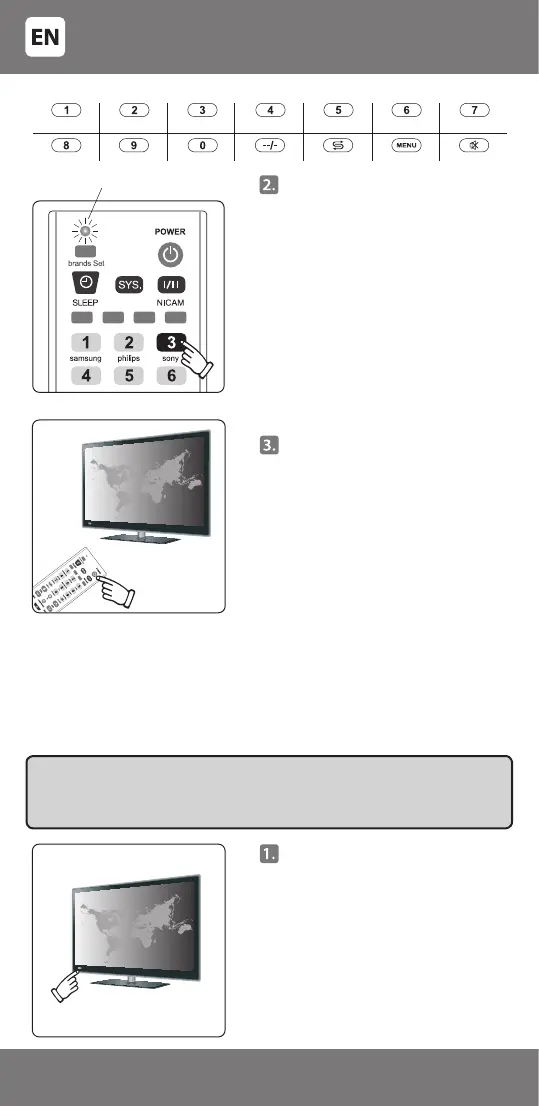
See table 'Popular brands' and nd
the right key for your TV brand. For
example, the key for SONY is [3].
Point the remote control at the TV
and press and hold the right key for
your brand. After about 6 seconds,
the indicator light will ash and
the remote control will periodically
transmit the right codes for your TV
brand. When the volume control
symbol appears on the TV screen,
release the key [3] (or another key,
depending on the brand), and
the indicator light on the remote
control should go o.
The indicating light is on
SAMSUNG
JVC
TOSHIBA HISENSE
PHILCO
HITACHI TCL
LG
PHILIPS
SONY
SHARP SANYO NOBLEXPANASONIC
- 4 -
34-500


 To Next Page