Need help?
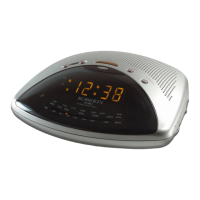
Do you have a question about the Roberts CR99712 and is the answer not in the manual?
Initial steps to power on and start the clock radio.
Manually adjust the clock's time display using Up/Down buttons.
Manually set the current year on the clock display.
Manually set the current date on the clock display.
Set the specific time for one of the two alarms to activate.
Choose between buzzer or radio for the alarm sound.
Select the days of the week the alarm should be active.
How to use the snooze function to temporarily silence the alarm.
Set the radio to turn off automatically after a specified time.
Instructions for tuning and operating the radio.
Automatic adjustment of display brightness based on room light.
Information about the battery maintaining memory during power outages.
Step-by-step guide to replace the backup battery.
How to set the clock to different time zones.
Details on using the headphone jack for audio output.
Technical details about the clock radio's power and coverage.
General usage guidelines, safety, and mains connection info.
Warranty information and claim procedure.
 General
| Type | Clock Radio |
|---|---|
| Brand | Roberts |
| Model | CR99712 |
| Category | Clock Radio |
| Display Type | LED |
| Power Source | Mains |
| Alarm Function | Yes |
| Snooze Function | Yes |
| Headphone Jack | Yes |
| Radio Bands | FM |


 To Next Page