5
539602 Rev. B, September 20, 2007
Setup
Unpack the Accessory Kit
Unpack the accessory kit from the bag, and remove the
plastic packaging. The kit consists of
•
A calibration weight.
•
Vacuum pump oil, oil filler cap, and tube.
•
Plastic pouch containing a warranty card (to be
completed and mailed), applicable MSDS sheets, a
service center listing, and an envelope of Mobile Air
Conditioning Society (MACS) information.
Important: You must complete and mail the
MVAC Certification Form and your technicians
must be certified with the Environmental
Protection Agency (EPA) to operate this
equipment.
Power Up the Unit
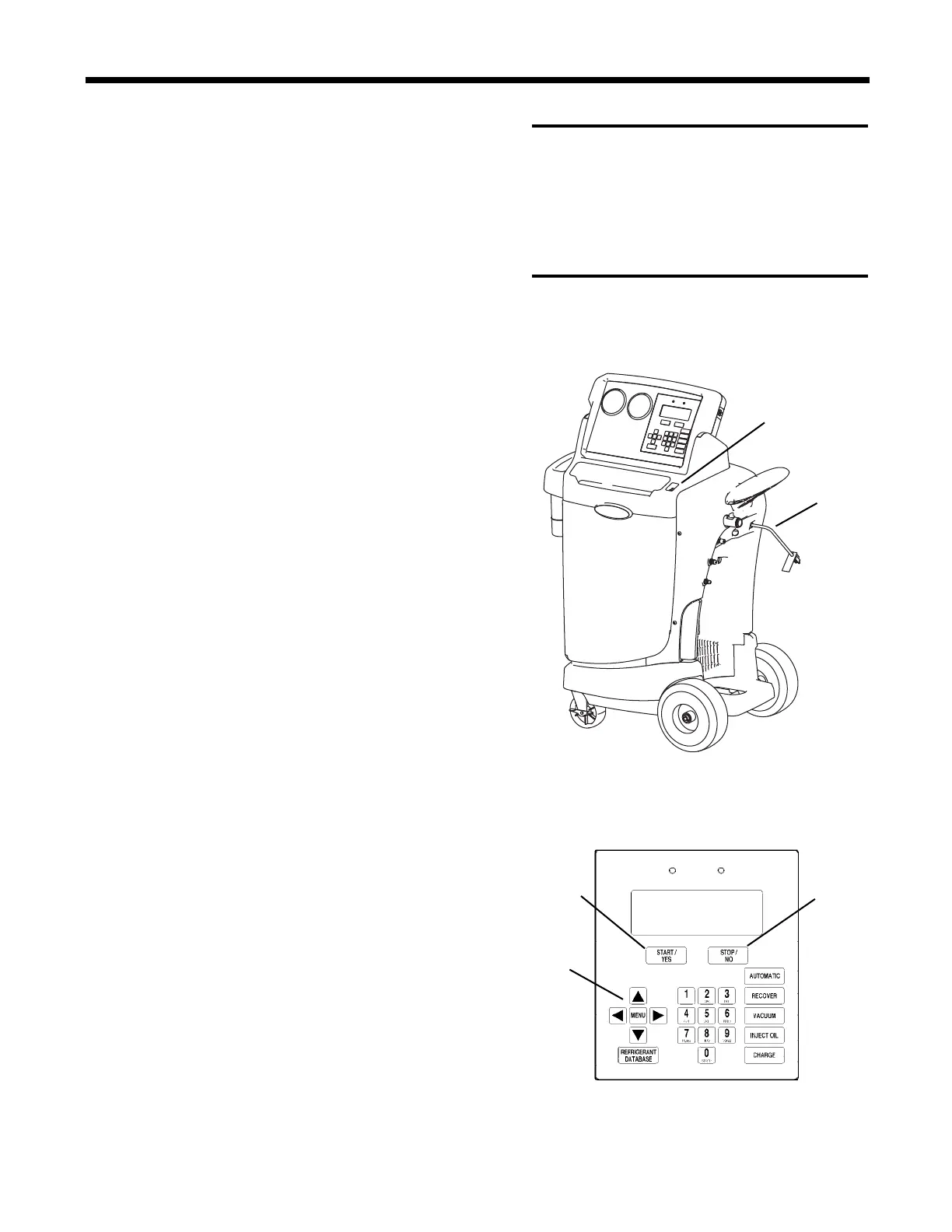
1. Unwind the power cord from the handle, and plug it
into a correct voltage outlet. See Figure 1.
2. Turn on the main power switch. The first time the
unit is powered up, it displays the initial setup mode.
Select a Language – English
Seleccionar Idioma – Espanol
Selection Langue – Francais
The operator may choose to have prompts displayed in
one of three languages: English, Spanish, or French.
1.
Use the UP or DOWN arrow key to toggle through
the choices for English, Spanish, or French. Refer to
Figure 2.
2.
Press START / YES to select the displayed language.
Select Operating Units
The operator may choose to have test results displayed
in Imperial (lb., or lb. and oz.) or Metric (kg) units.
1. Use the UP or DOWN arrow key to toggle through
choices for IMPERIAL UNITS or METRIC UNITS.
2. Press START / YES to select the displayed
operating unit choice.
IMPORTANT :
R-134a systems have
special fittings (per SAE specifications)
to avoid cross-contamination with R-12
systems. DO NOT adapt your unit for a
different refrigerant — system failure
will result.
Arrow
Keys
Start / Yes
Button
Figure 2
Stop / No
Button
Power
Cord
Main
Power Switch
Figure 1



 To Next Page