EasyManua.ls Logo

ROBINHOOD IC1300 - Board Rotation; Lamp Replacement Guide

ROBINHOOD IC1300
10 pages
Print Icon
To Next Page IconTo Next Page
To Previous Page IconTo Previous Page
Loading...
7
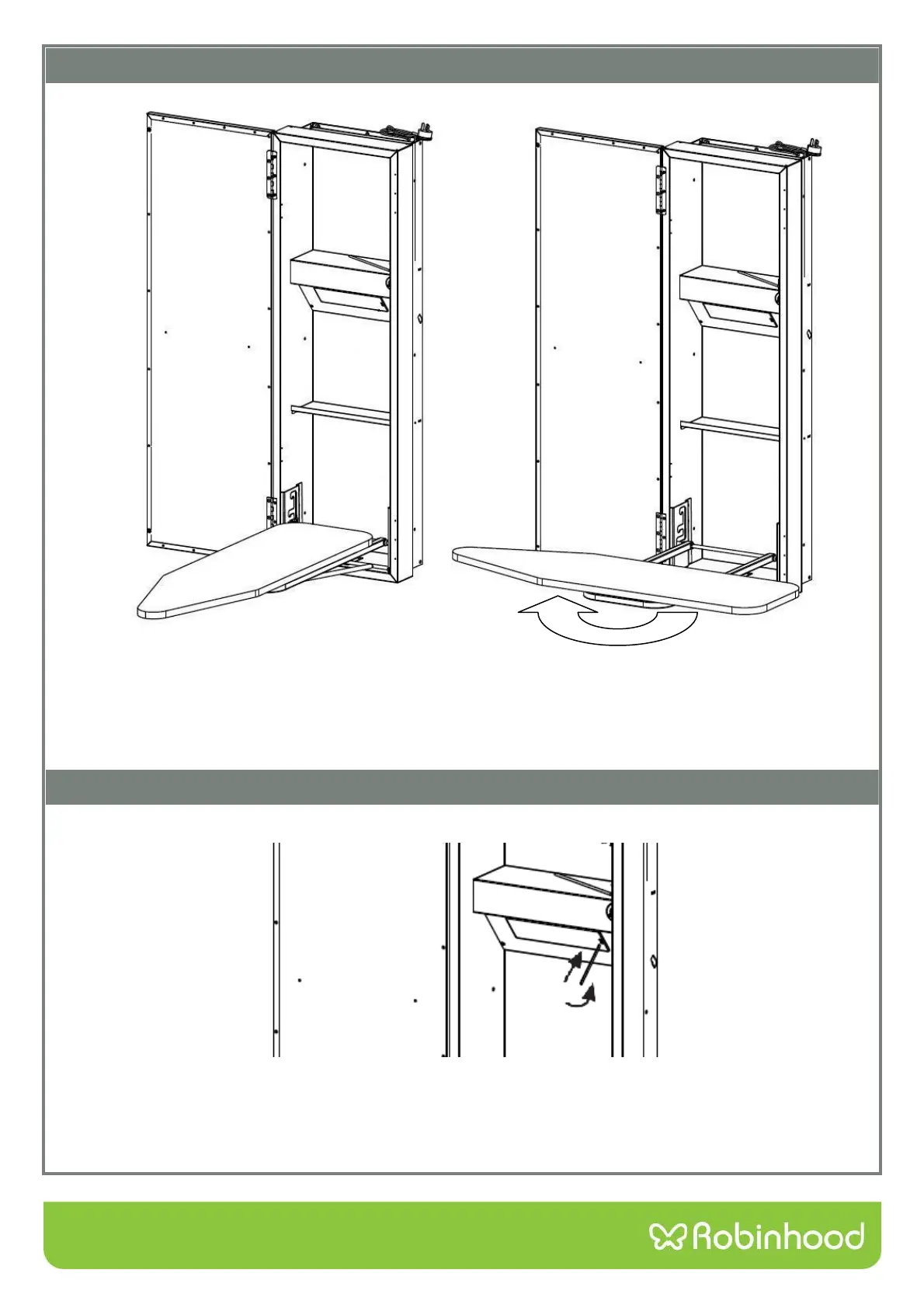
1. Disconnect Ironing Centre from power supply. Ensure the power is switched off.
2. Insert small screwdriver or slim knife as shown, ease catch to side and slip out diffuser.
3. Replace lamp (40 watt max.)
4. Slide diffuser back into aperture and “click” into place. Turn power back on.
Board rotation
3. Make sure the door is clear if the board is to be rotated.
4. With the board in the horizontal position hold the board with both hands (NOT BY THE NOSE) and
rotate around the centre pivot the unit will click into the required position.
NOTE: In order to store the Ironing board, it must be on its lowest position and rotated back.
Lamp Replacement