Before You Fly
Whether you’re new to drones or a seasoned pilot, we recommend
reading through the following safety guidelines before using your
CoDrone EDU.
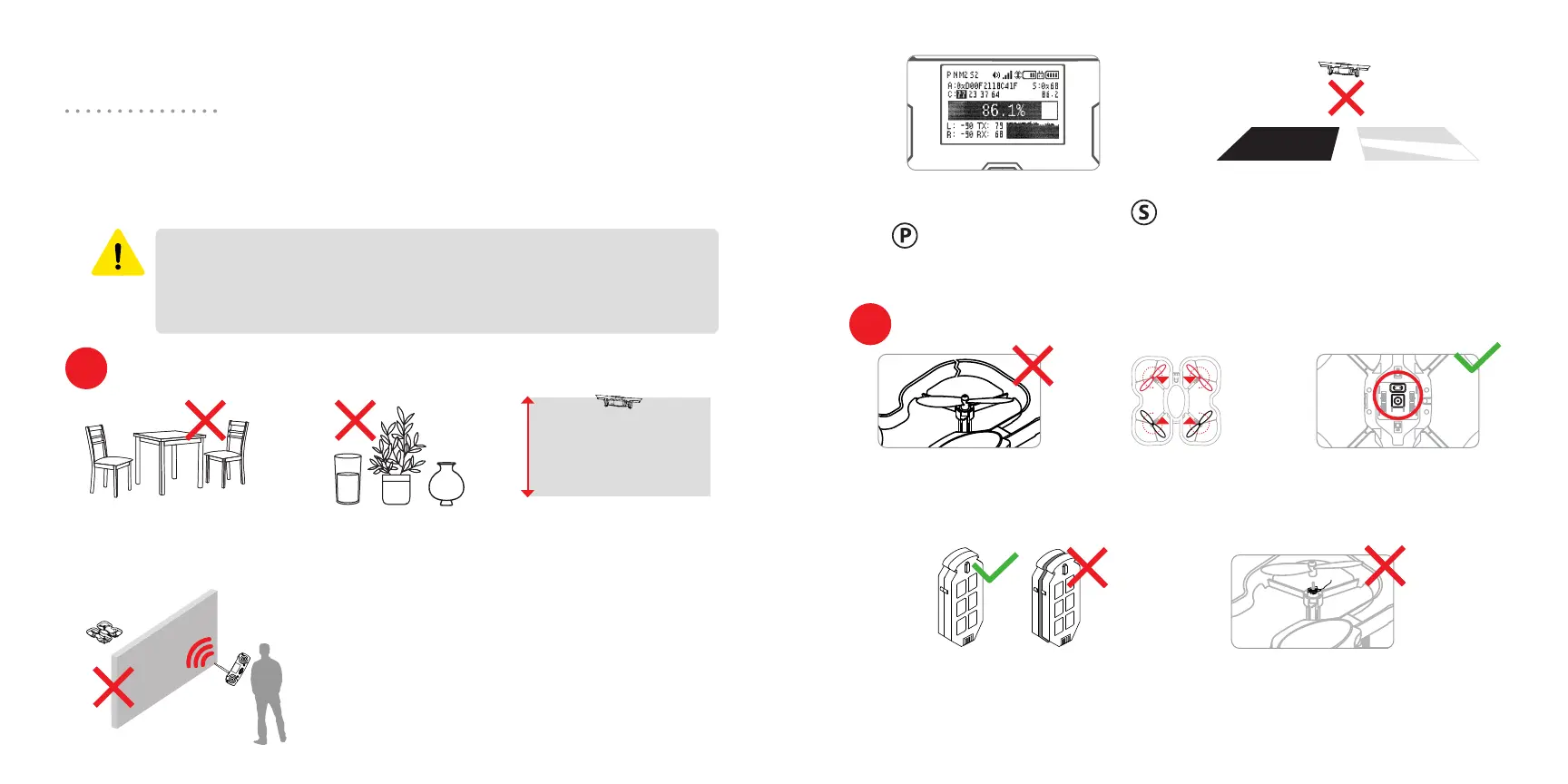
Designate an open
area for flight without
obstacles.
To maximize signal strength and safety,
maintain line of sight between yourself/the
controller (1) and the drone (2).
The signal has diculty passing through
people, glass, and walls.
Your connection status screen will
display your signal strength. Use
and to change display mode
screens in the remote control state.
No major structural
damage to motor arms
or frame.
Drone battery has not
expanded and has no signs of
structural damage.
There is no debris beneath the
propellers, and the propellers
can spin freely.
Propellers and motors
are in the correct
position (see page 18).
Bottom sensors are not
obstructed.
For best performance, avoid flying
over dark carpets or highly reflective
surfaces. Surfaces that are bright, flat,
well-lit, and patterned will work best.
Put away fragile items
and open liquids.
Try to keep your drone
below 10 ft to avoid
damage
CoDrone EDU is designed for indoor use only. Rules for drone
flight outdoors will vary depending on your location. The
CoDrone EDU also cannot withstand wind. For those reasons,
you should keep CoDrone EDU indoors.
CAUTION
Check the environment
Check your drone
1
2
10 ft (3 m)
(1)
expandednormal
(2)
R
ccw
cw
F
F
cw
ccw
R
Bottom view
4 5



 To Next Page
 Loading...