Appendix 1 – Pairing
47
- You only need to perform the first pairing once. (Pairing will be maintained)
- If it doesn't work, try again from the beginning.
- Depending on the environment, it may not be paired in a single attempt.
- The drones and controls must be up-to-date
!
Pairing means connecting the drone and the controller with the same
communication settings. Pairing allows only two devices to communicate
without interference from other devices.
Pairing may be disabled during use, or a drone or controller must be
purchased and used with the existing device.
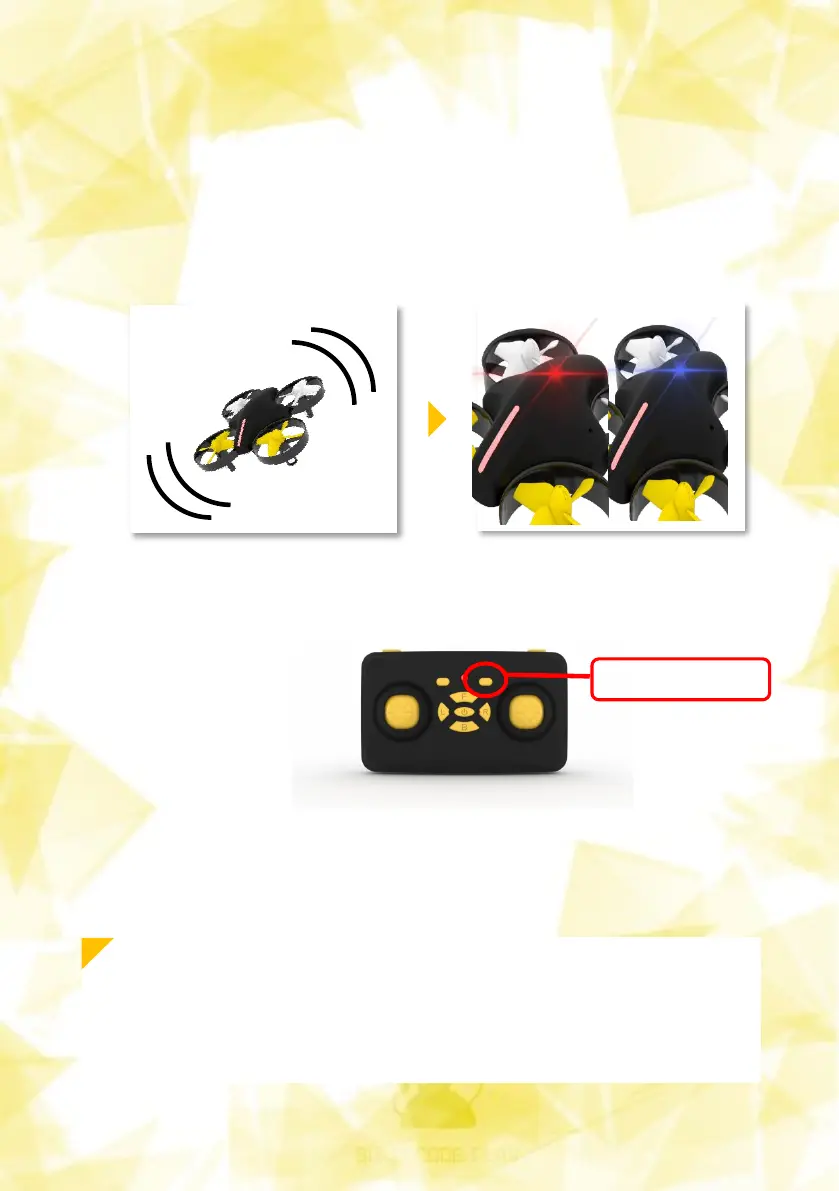
To pair, shake the drone five to six times as shown in the picture below.
When the drone is ready for pairing, the LED on the top of the drone is
red and blue.
It flashes as it repeats. Press the pairing button on the controller as shown
below.
Now we can control the drones with the controls.
Pairing Button


 To Next Page