2
EN
4. Be sure to use the product in strict accordance with the
specifications (including those for voltage, current, and
temperature) listed in this document. Failure to do so may
reduce the product service life or even lead to permanent
damage.
5. Take measures to protect the Board OLED from static
electricity and physical damage.
6. Always keep the Board OLED clean otherwise a short-
circuit may occur and the Board OLED's performance may
be negatively affected.
7. DO NOT use your hand to touch the chips on the Board
OLED as doing so may damage the Board OLED and
its performance may be negatively affected due to static
electricity.
8. If you detect any ames, smoke, strange smells, or other
abnormality disconnect the Board OLED from the power
source immediately.
Introduction
Tailor-made to work with the RoboMaster Development Board
Type A and Type B, this Board OLED features a 0.96-inch
(244-milimeter) OLED screen with a resolution of 128 × 64, and
a 5D button. The screen can be used to display parameters
and the button can be very useful during debugging. The
Board OLED uses an SH1106G drive chip and the SPI
communication protocol.
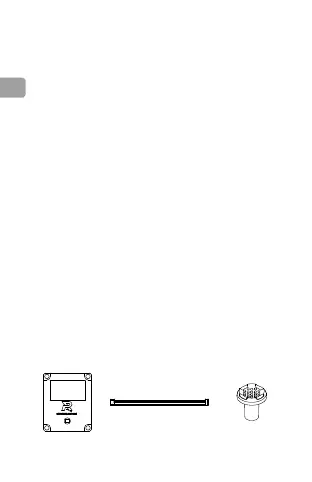
In the Box
Board OLED × 1 7-Pin Cable × 1
Removable 5D
Button × 1


 To Next Page
 Loading...