3
EN
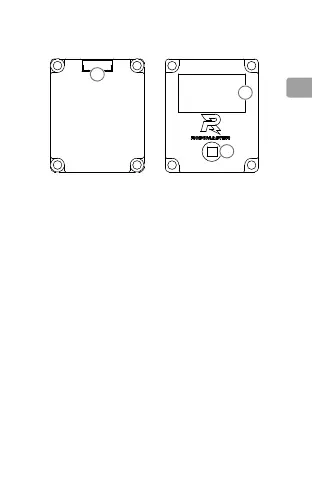
Overview
1. 7-Pin Port
From left to right: BUTTON AD, SPI2 MOSI, SPI2-SCK,
OLED-DC, OLEDRST, GND, VCC-3V3.
2. OLED Screen
3. 5D Button Mounting Hole
Insert the provided 5D button into this mounting hole and
then press to secure. After mounting, you can move the
5D button in 5 directions (up, down, right, left, and press
down). Refer to the 5D Button section for more information.
1
2
3
Mounting the Board OLED
Refer to the dimensions in the gure below when mounting
the Board OLED.



 To Next Page