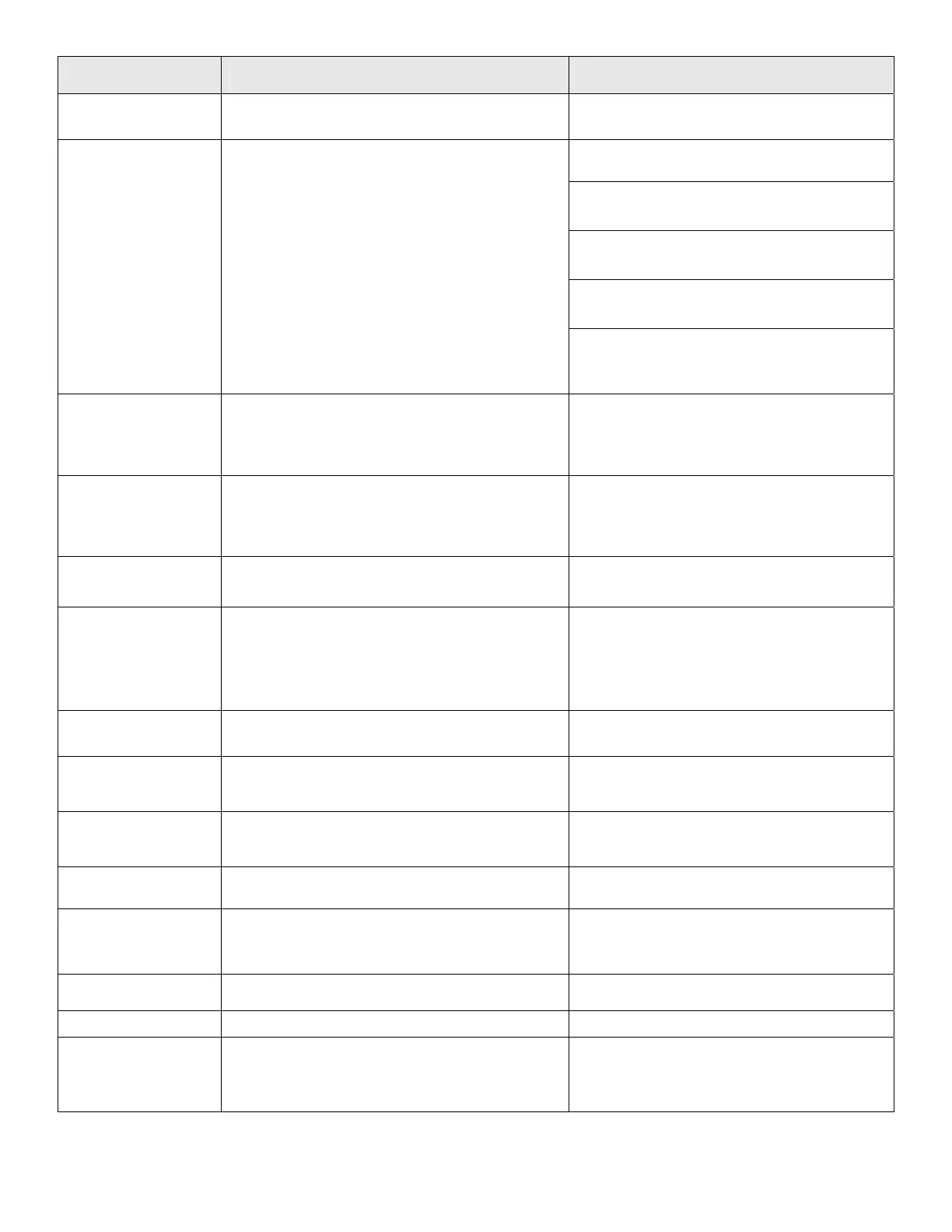
Message Displayed Probable Cause/Event Corrective/User Action
Front/Rear bumper
pressed
- Front or Rear Bumper is constantly being pressed
- Move mower away from object pressing
against bumper.
CAUTION – Remove power pack before lifting
the mower
- The RoboMower has driven onto an obstacle,
raising the front end. Remove or exclude this
object from the mowing area.
- The RoboMower is being used on a slope too
steep for safe mowing. Exclude this from the
mowing area.
- High grass is preventing the front wheel from
fully riding on the ground. Raise the cutting
height.
Front Wheel
Problem
- The Front Wheel has left the ground for more than
8 – 10 seconds.
- The ground contains large holes or indentions
where the front wheel can drop into when
passing across. Fill these areas with dirt and
level off.
High temp.
Disc. charger
- RoboMower is charged through the plug and
ambience temperature is out of range (above
158ºF / 70ºC)
- RoboMower charging is not allowed when the
ambience temperature is raised above 158ºF /
70ºC; Disconnect the Power Supply plug and
wait until the temperature will go up or take the
RoboMower to be charged in a cooler place.
Keep charging if not
used
- Message is displayed every time the Power Supply
plug is disconnected from the mower.
- Displayed when the mower isn’t in operation and
not connected to the Power Supply/ Charging
Station for a long time.
- Press any key to change the display back.
- Send the mower back to the Charging Station
for charging / connect the charging plug or
continue in operation
Keys locked
- Child lock feature has been activated
- Press the Up ⇑ arrow key and then press the
‘C’ button. Child lock can be deactivated under
User preferences.
Low temp.
Disc. charger
- RoboMower is charged through the plug and
ambience temperature is out of range (below 32 ºF
/ 0 ºC); disconnect the Power Supply plug from the
RoboMower.
- RoboMower charging is not allowed when the
ambience temperature is going down below
32ºF / 0ºC; Disconnect the Power Supply plug
and wait until the temperature will go down or
take the RoboMower to be charged in a
warmer place.
Left/Mid/Right mow
problem
- Mowing motor is faulty or disconnected - Contact service provider
Move from Wire
- The RoboMower is positioned too close or on top
of the perimeter wire
- Move the RoboMower approximately 6 – 10
feet (1.5 – 3m) away from the perimeter wire
and start again.
Mowing Overload
Cooling, Wait
- The mowing motors have been working under a
severe load for too long of a time.
- There is no need to do anything – RoboMower
will renew automatically the operation, as the
mowing motor will cool down.
No Wire Signal
- Perimeter Switch is not turned on or not connected
to the zone intended to mow
- Make sure the Perimeter Switch is connected
to the correct zone and is turned on
Rain
GO for override
- RoboMower detects rain upon GO pressing
- Do not operate RoboMower in rainy weather
and wet grass; If you chose to override press
the GO button; The overriding is valid for the
current operation only
Ready
Keep Charging
- The battery is fully charged
- Keep the power supply connected and
operating
Recharge Battery
- The maximum operating time has been reached - Connect the Power Supply to the mower
Replace blades
every 200 hours
- An automatic reminder to replace the blades is
displayed every 200 hours
- Replace the blades and restart the counter of
the blades replacement reminder by choosing
the ‘Blades replaced – Clear reminder’
option under the ‘User Preferences’ menu
42



 To Next Page