36
Table 5.3
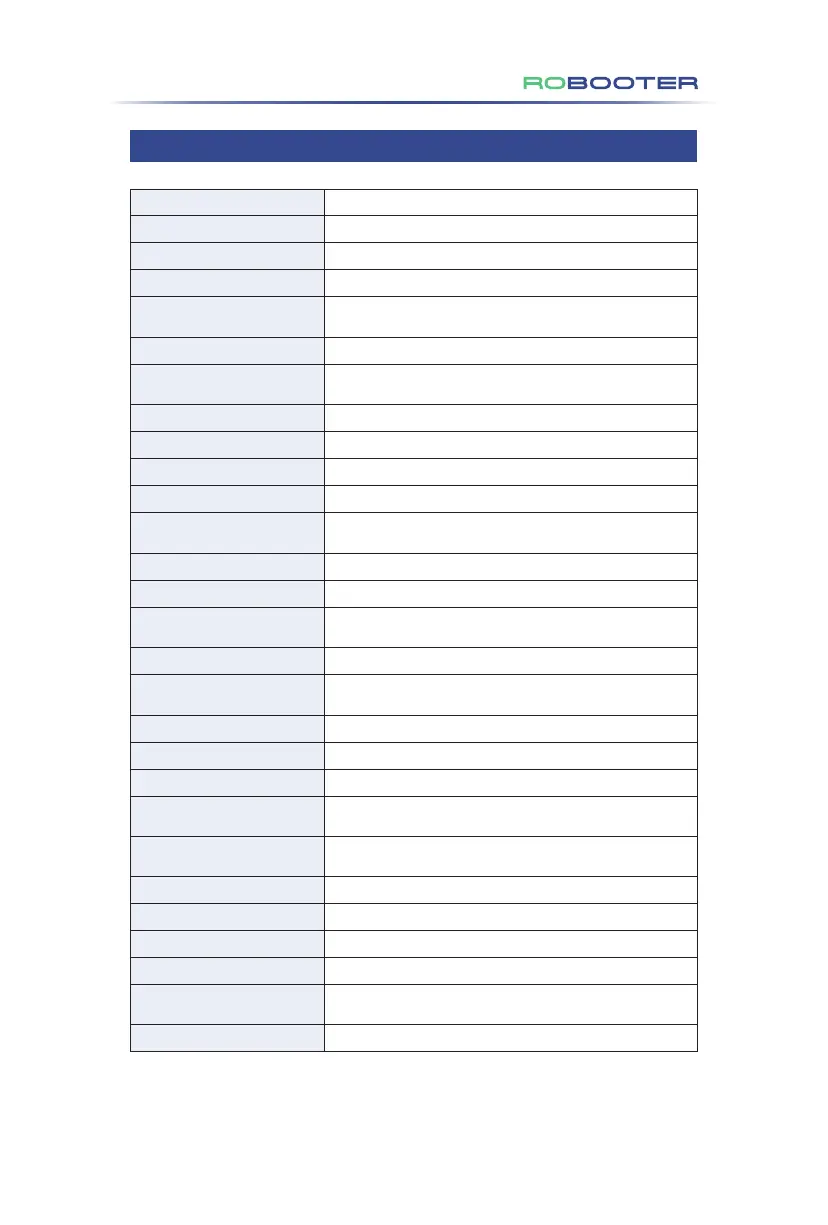
Voice prompts
Enter novice mode
Quit the novice mode
Alart
LOCK
Unlock
Start the remote control
car has been locked my bluetooth
Upgrade
Upgrade complete
Upgrading
Powering on tone
Key tone
Charging
Charging complete
breaks open
Bluetooth connected
Drive protection
Machine protection
Rocker protection
Powering off tone
Bluetooth disconnected
Upgrade failed
The horn sounds
Low battery, please charge
bluetooth unlocking the car
implementation mode
Exit implementation mode
Corresponding scene description.
Press the novice mode button.
Press the novice mode button again.
Long press SOS key to trigger SOS.
It is in default that after the product is locked after it is powered on.
Switch non-locking status to locking status.
Switch locking status to non-locking status.
Voice prompt when the remote control
or APP Bluetooth is connected successfully.
Press the lock key.
When the APP detects new version, click to upgrade.
End of the single-module upgrade.
The equipment is upgrading.
Press and hold the power-on key for 3s
to start the power-on and the power-on sound.
Touch the button to produce a prompt sound.
Charging
Unplug the charger and trigger
the voice prompt of charging completed.
The band-type brake opens.
Voice prompt when the remote control
or APP Bluetooth is connected successfully.
Voice prompt for a drive failure.
Voice prompt for a machine failure.
Voice prompt for a rocker failure.
Press and hold the power-off key for 3s
to start the power-off and the power-off sound.
Voice prompt when the remote control
or APP Bluetooth is disconnected.
There is something wrong during upgrading.
Touch the horn button.
Trigger when the power is lower than 20%.
Press the remote control to unlock.
Long press "︿" button and "﹀" button 3 seconds to enter
the pushing mode, accompanied by the pushing mode prompt.
Shake the rocker to quit the pushing mode.
5.3 Guide to Safety Alerts and Precautions
5. Ma
intenance & Troubleshooting


 To Next Page
 Loading...