24
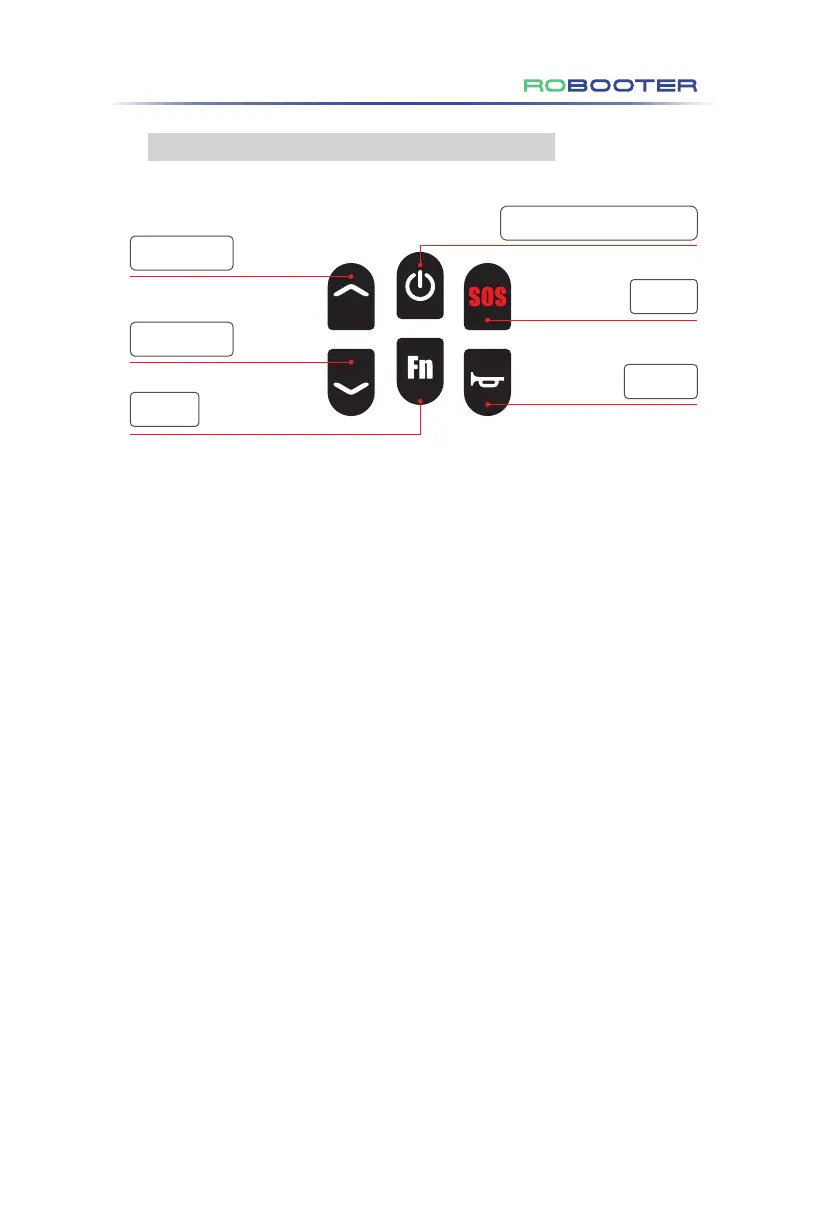
4.3.2 Function description of the upper controller
Power switch key(Lock/Unlock)
Gear ︿ button
Gear ﹀ button
SOS key
Horn key
Fn Key
( 1 ) Direction joystick
Pushing the upper controller joystick can control the speed and direction of the Electric
Wheelchair.
( 2 ) Power switch key
Long press for 3 seconds to turn on the power supply and long press for 3 seconds to
turn off the power supply.
Press the power switch key to turn on the vehicle locking function.
Press the power switch key to unlock the entire vehicle, and the current status is unlocked.
( 3 ) Gear ︿ button
Press "︿" to add a gear (Up to 5 gears).
( 4 ) Gear ﹀ button
Press "﹀" to reduce one gear (minimum 1 gear).
( 5 ) Horn key
Press the horn button once, and the horn will sound once.
( 6 ) SOS key
Press and hold for 3 seconds to sound the SOS alarm of the Electric Wheelchair.
( 7 ) Fn key
Press Fn to enter novice mode. The screen will display gear l1, gear 2, and the NOVICE
icon, accompanied by the voice prompt "Enter the novice mode". The speed gear is
limited to 2 (the first and second gears are optional).
Long press the Fn key for 5 seconds to enter the General mode, and again long press the
Fn key for 5 seconds to exit the General mode. In General mode, for E60-01/02/05/06, the
maximum speed is 6 km/h, and in Enhanced mode, the maximum speed is 8 km/h. For
E60-03/04/07/08, the maximum speed in General mode is 8 km/h, and in Enhanced
mode, the maximum speed is 10 km/h.
Figure 4.3.2
4.Use of the Electric Wheelchair


 To Next Page
 Loading...