EasyManua.ls Logo

ROC pH/ORP-5500 Series - User Manual

ROC pH/ORP-5500 Series
24 pages
Print Icon
To Next Page IconTo Next Page
Loading...
1
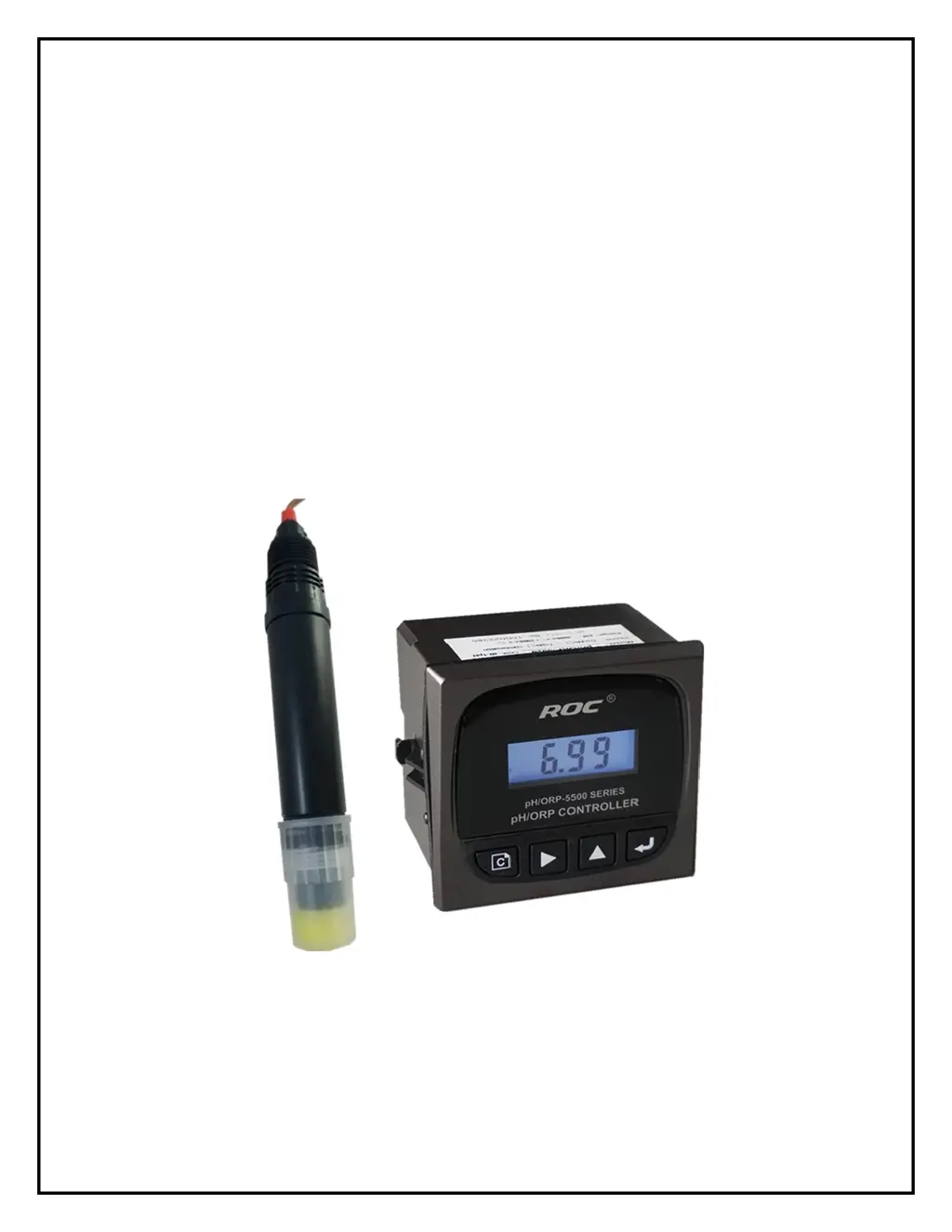
pH / ORP Transmitter / Controller
pH / ORP-5500 Series
USER MANUAL

Questions and Answers

  • S
    scottwallerAug 4, 2025
    Why is the ROC Controller display unstable?
    • E
      ericawangAug 5, 2025
      If your ROC Controller displays an unstable image, it could be due to several reasons. First, check the sensor wire connection based on the instruction manuals. Another potential cause is air bubbles in the pipeline; in this case, select a proper measurement point or change the pipeline. Unstable water quality can also lead to display issues, so stabilizing the water quality might help. Finally, a loose connection could be the culprit, so ensure the connector is securely connected.
  • E
    Elizabeth ArroyoAug 12, 2025
    What to do if my ROC pH/ORP-5500 Controller shows a big deviation?
    • J
      Jay MooreAug 12, 2025
      If your ROC Controller shows a large deviation, it could be due to a sensor fault. Try taking the sensor out of the pipeline to calibrate it. Alternatively, the cable might be damaged, requiring you to replace the sensor if calibration doesn't work. Incorrect installation can also cause deviations, so find the correct measurement point and use the flow device. Lastly, a setting problem might be the issue, so reset the parameter of the instrument.
  • N
    nicole04Aug 20, 2025
    How to troubleshoot no display on ROC pH/ORP-5500 when powered on?
    • R
      Ricky ClineAug 20, 2025
      If your ROC Controller isn't displaying anything when powered on, it could be due to a bad power supply connection. Check to see if there is 24V voltage between power terminals 24VA and 24VB. If the power supply is not the issue, the instrument may be faulty, and you should have it checked by professional technicians.
  • T
    Tracey BrownAug 27, 2025
    What to do if there is a difference at transmitting data on ROC Controller?
    • J
      John KellyAug 27, 2025
      If you notice a difference when transmitting data with your ROC Controller, it could be because the loop resistance is too large or the connection mode is incorrect. Try replacing the cable to reduce the loop resistance and check that the connection is correct. Another potential cause is an unusual power supply; ensure it's powered by the standard. Finally, a wrong transfer volume could be the issue, so reset the transferred volume.

Summary

Installation

Electrical Connection

Details how to connect power and signal lines, emphasizing interference avoidance.

Settings

Setting Mode

Guides users on how to adjust parameters like function selection, alarm limits, and temperature compensation.

Sensor Calibration

Details the process for calibrating pH/ORP sensors using buffer solutions or offline methods.

Maintenance

Sensor Maintenance

Provides instructions for cleaning, storing, and maintaining the pH/ORP sensor.

Troubleshooting

Instrument and probe fault common trouble shooting

Lists common problems, their causes, and solutions for the instrument and probe.

ROC pH/ORP-5500 Series Specifications

General IconGeneral
Measurement Range pH0 to 14 pH
Accuracy pH±0.01 pH
Resolution pH0.01 pH
Resolution ORP1 mV
Enclosure RatingIP65
Storage Temperature-20 to 70 °C
Relative Humidity0 to 95% non-condensing
ModelROC pH/ORP-5500 Series
Measurement Range ORP-2000 to +2000 mV
Temperature CompensationAutomatic or Manual
DisplayLCD
Outputs4-20 mA, RS-485
Power Supply100-240 VAC, 50/60 Hz