2. Remote control
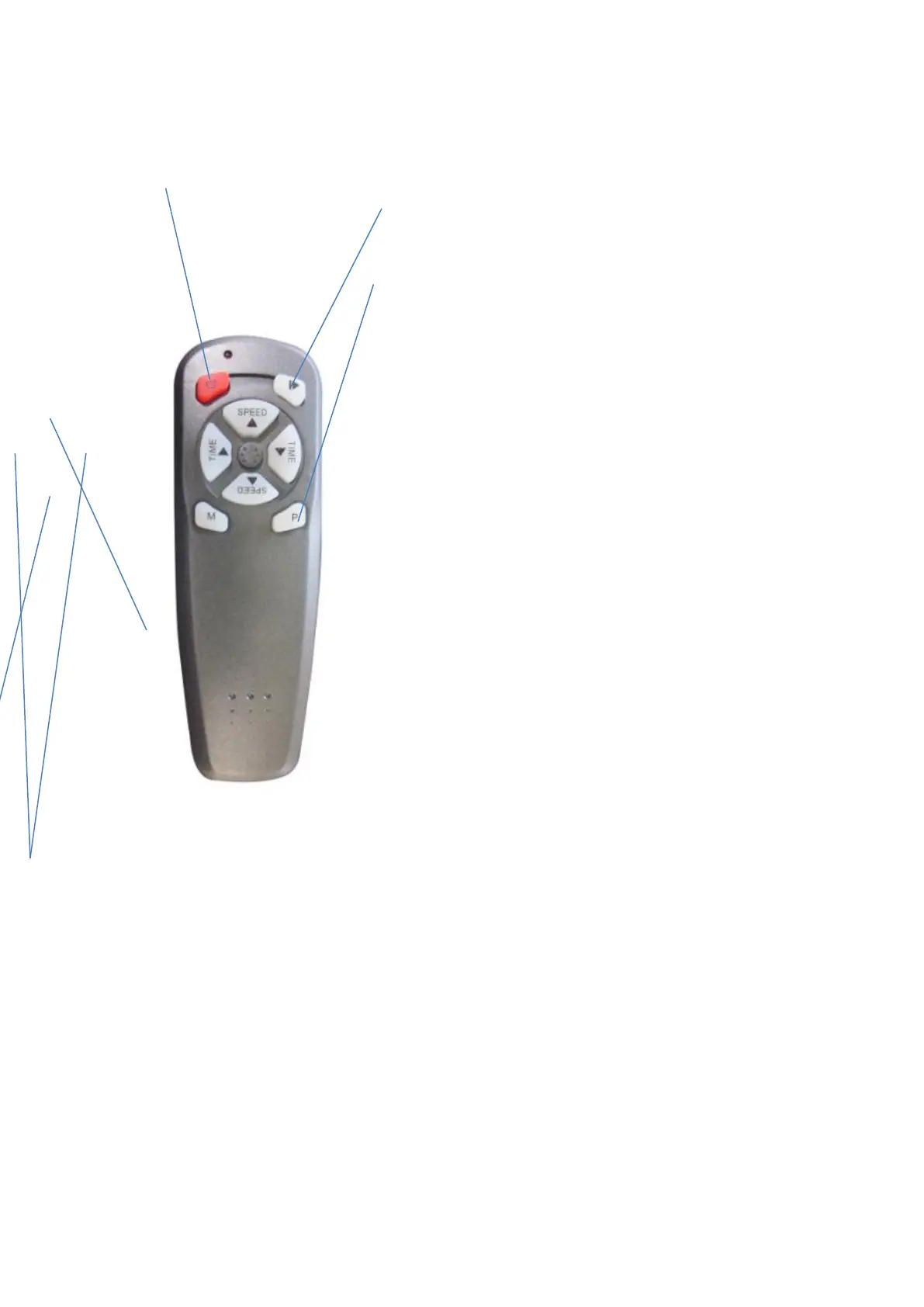
Power switch: Press the power switch to start or stop the product
START: Press the start button to start the device
Automatic program: Automatic programs
can be selected (P1,P2,P3).
How to use this program: press power switch button,
machine shows “HA”, which is the manual mode,
Press button ”P” once, the machine enter into auto-mode
Program”P1”. Press button ”P” two times, the machine enters into
auto-program”P2”. Press button “P” three times, the
machine enters into auto-program”P3”. Choose an auto-
program and press the start button. The machine will start
the chosen program. You cannot adjust the time and speed
when you start an auto-program.
Speed+ button: press this buttons to increase the speed as
desired. This button can be used when you use a manual program,
before you press the “start” button (not available with an
automatic program).
Time adjust button: press the “time” button to adjust the time
This button can be used when you use a manual program (not available for automatic
programs).
Speed– button: press this buttons to decrease the speed. This button can be used when you are
using a manual program (not available for automatic programs).
The valid receiving range of the remote control is 2.5M; the infrared light on the remote control
must align with the infrared receiver window on machine.


 To Next Page
 Loading...