14
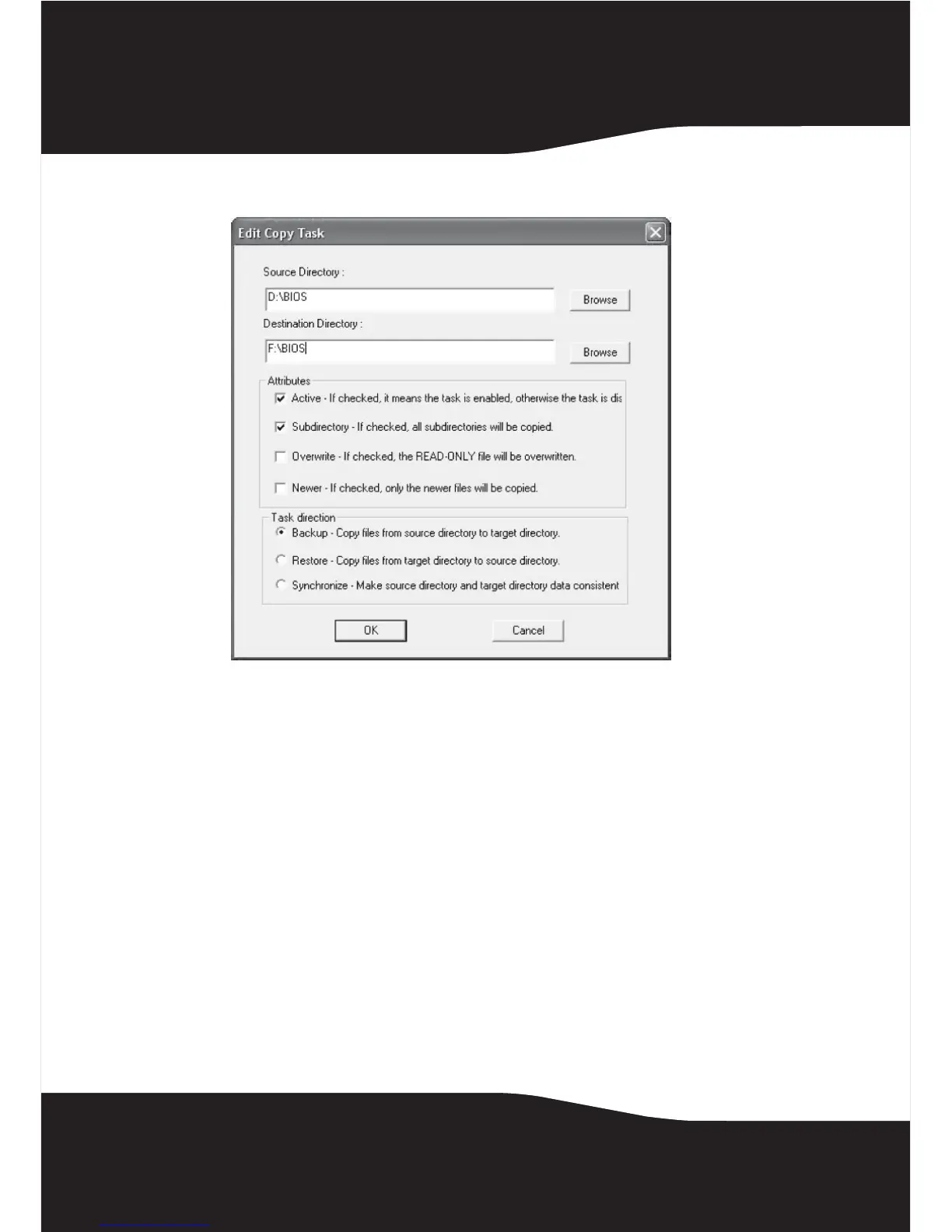
4 Highlight a task item, then click Modify. The Edit Copy Task window opens.
5 Type in the source and destination directories, or use the Browse button
to search for the source and destination directories.
6 Set the following Attributes by checking the appropriate box:
• Active–To enable or disable the task. When the active item is not
checked, the task will be skipped.
• Subdirectory–When this item is checked, all of the subdirectories in the
source directory will be copied to the destination directory. If this
item is not checked, only the files on the source directory will be
copied.
• Overwrite–If this item is checked, all source files will be copied to the
destination directory. If this item is not checked, the read-only files
on the destination directory will be skipped.
• Newer–If this item is checked, the files on the source directory will only
be copied to their destinations when the source file is more current
than the destination file.


 To Next Page