6
4 Read the agreement, click I accept the terms in the license agreement, then click
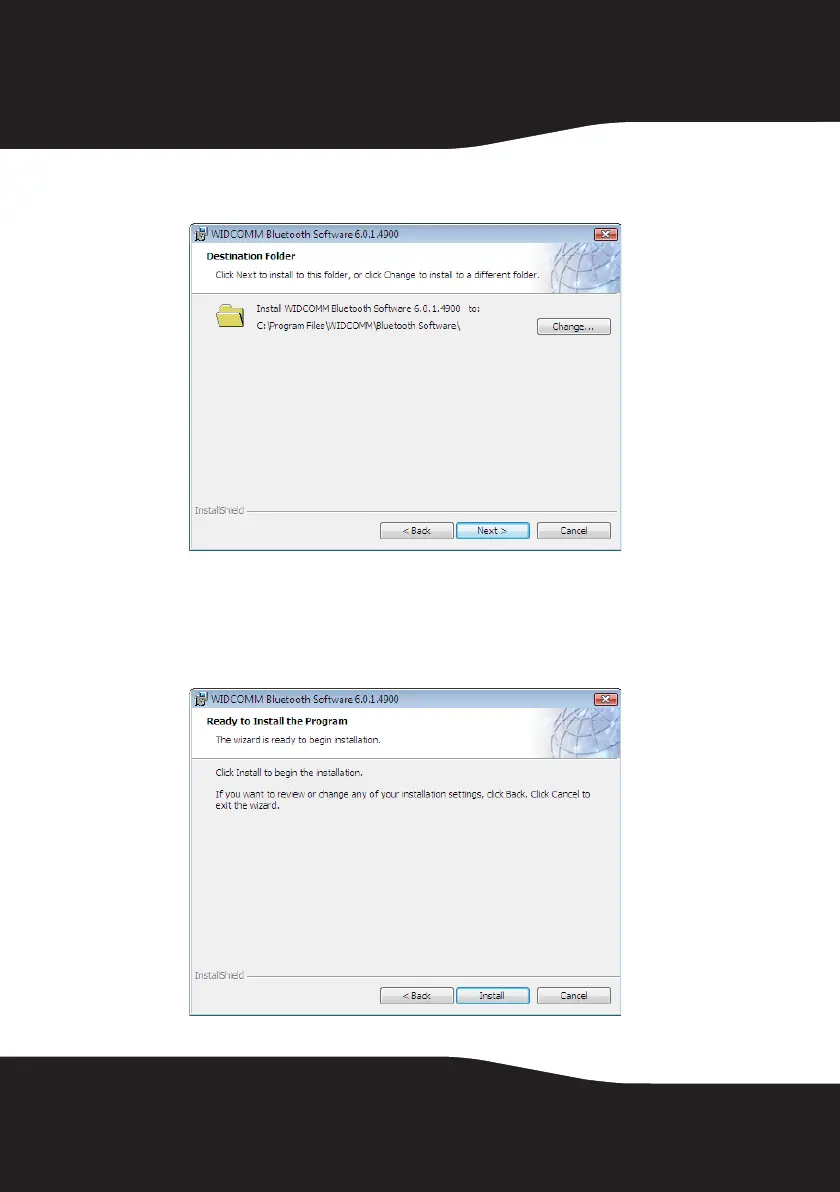
Next. The Destination Folder screen opens.
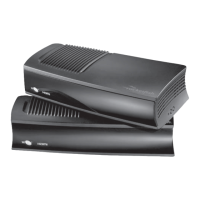
5 To install the driver in the default location, click Next. The Ready to Install
the Program screen opens.
Or, to change the location, click Change, type the location, then click Next.
The Ready to Install the Program screen opens.


 To Next Page