
 Need help?
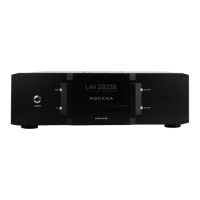
Do you have a question about the ROCKNA AUDIO Wavedream NET and is the answer not in the manual?
Lists all items included in the product package for the user.
Essential guidelines for safe operation and handling of the device.
Identifies and explains the controls and display on the front panel of the device.
Details the various input and output ports located on the back of the unit.
Overview of the web interface for controlling server settings and services.
Instructions for configuring and adding network drives for music storage access.
Details on how to use the ripping function, requiring an external drive.
Guide on accessing and managing the device's internal storage for music files.
Comprehensive guide to configuring the WDNET as a Roon server and integrating music libraries.
Explanation of the buttons and their functions on the provided remote control.
Technical details of all available input connections for the device.
Technical details of all available output connections for the device.
Overview of general features, playback formats, and storage capabilities.
Instructions on how to verify and install the latest software for the device.
Details the scope of the warranty, who is covered, and what the warranty includes.
Specifies the conditions under which Rockna Audio will repair, exchange, or refund the product.
Lists conditions and circumstances not covered by the product warranty.
 General
| Category | Server |
|---|---|
| Manufacturer | ROCKNA AUDIO |
| Model | Wavedream NET |
| Network Connectivity | Ethernet, Wi-Fi |
| USB | USB 2.0 |
| Storage | Internal SSD, External USB Storage |
| Audio Formats Supported | DSD |
| Supported Formats | WAV, FLAC, AIFF, ALAC, MP3, AAC, DSD |
| Network | Wi-Fi |
| Output Interfaces | AES/EBU, S/PDIF, USB Audio |
| Outputs | AES/EBU, S/PDIF, USB |
| Control Protocols | UPnP |
| Power Supply | Linear power supply |
| Streaming Services | TIDAL, Qobuz |
| Clock | internal clock |

 To Next Page