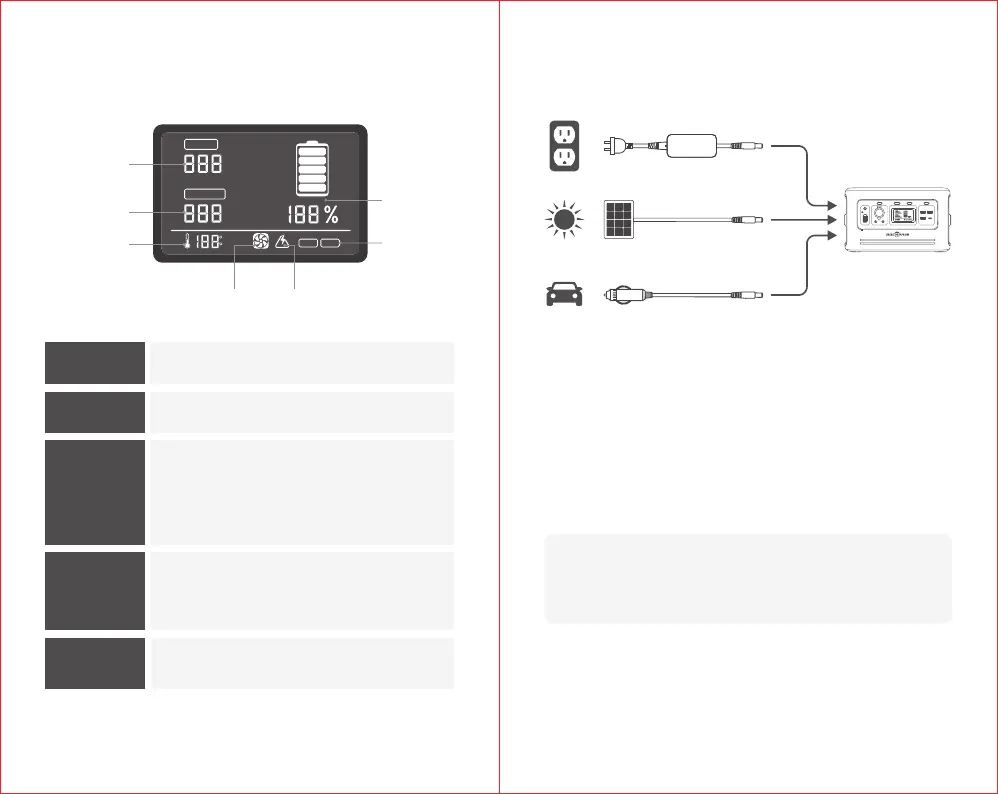
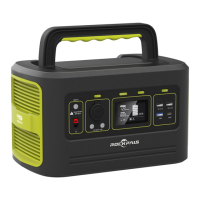
Charging from wall charger:
Using the included AC charging adapter, plug your Freeman 600 into
any wall outlet. You will know the Freeman 600 is fully charged when
the LCD display shows number 100%.
Charging from solar panel:
The 6.5mm DC input port is compatible with charging from solar panels.
1. Place your solar panel where it will get as much direct sunlight as possible.
2. Solar charge times depend on weather conditions.
0403
LCD Display Charging Your Freeman 600
INPUT:
Shows the amount of power (watts) going into the
Freeman 600 while charging.
OUTPUT:
Shows the amount of power (watts) your devices
are using while plugged into the Freeman 600.
BATTERY
LEVEL:
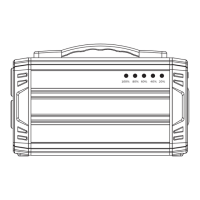
Shows 5 segments, approximating 20%-40%-60%-80%-
100% capacity. When charging your Freeman 600,
you will notice a battery segment blinking, this indicates
the current charge status. Once fully charged, all battery
segments will be lit and remain solid.
OVERLOAD
WARNING:
Power draw exceeds port's maximum allowance,
indicated by red light on the port's button.
TEMPERATURE
WARNING:
The unit is over-heating.
IMPORTANT NOTE: When solar recharging your Freeman 600, take note
of the voltages of the solar panels. Individual solar panels, or solar panels
chained in series in excess of 26V cannot be used with the Freeman 600
and can cause serious damage to the unit.
Charging from your car:
Although not recommended because of slow charge time, you can
charge your Freeman 600 from any 12V source, like your car.
Never Exceed
26V Input
INPUT
PV
60W18W
5V 3.1A 5V 3.1A
DC OUT 12V
DISPLAY AC USB12V
WATTS
F
C
OUTPUT
WATTS
INPUT
50Hz 60Hz
COOLING FAN OVERLOAD WARNING
BATTERY
LEVEL
FREQUENCY
INPUT
OUTPUT
TEMPERATURE
WARNING


 To Next Page