Need help?
Do you have a question about the Rockpals ROCKPOWER 1300 and is the answer not in the manual?
Describes the function of interactive buttons on the device.
Details the specifications of the USB-A Quick Charge port.
Explains the standard USB-A output port.
Covers the USB-C Power Delivery port's input/output capabilities.
Describes the port for connecting solar panels for charging.
Details the DC input port for adapters and car chargers.
Identifies the device's Liquid Crystal Display screen.
Specifies the 12V DC output port.
Describes the AC power output port.
Shows the power (watts) going into the Rockpower 1300.
Shows the power (watts) used by connected devices.
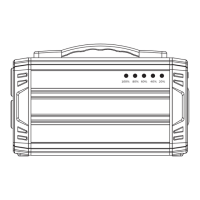
Displays the remaining battery capacity in segments.
Alerts when a port's allowance is exceeded, shown by red light.
Indicates if the unit is overheating.
How to charge using the included AC adapter and wall outlet.
Instructions for charging using solar panels.
Guidance on charging the unit from a 12V car source.
Step-by-step guide on operating the power station ports.
Tips for optimal device charging and power management.
Information on how temperature affects performance and operation.
Details on battery type, capacity, lifecycles, and management.
Lists output/input capabilities for AC, DC, USB, and solar ports.
Includes weight, dimensions, operating/charging temperatures, and warranty.
Steps to take if devices are not recharging from the Rockpower 1300.
Explanation of warning icons on the LCD display and their resolutions.
Answers to common questions about the Rockpower 1300's battery and usage.
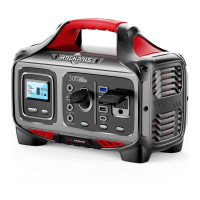
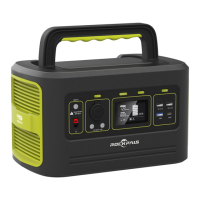
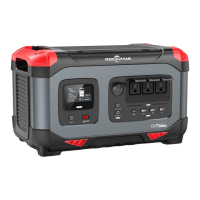
The Rockpower 1300 is a multi-function portable power station designed to provide temporary power for electrical and digital products, particularly useful during power outages or while traveling. It features a high-quality lithium-ion battery and supports various output types including USB, DC 12V, and AC.
The primary function of the Rockpower 1300 is to serve as a portable power source. It can charge a wide range of devices, from phones and laptops to mini-fridges and CPAP machines. The unit can be recharged from multiple sources: a wall charger using the included AC charging adapter, solar panels via its DC input and PV port, or a 12V car source. The LCD display provides real-time information on input and output wattage, battery level, and warning indicators for overload, temperature, and cooling fan status. Interactive buttons control the power output for each port, with green LED lights indicating when a port is active. The device is equipped with a Management System that includes an MPPT charge controller and BMS (Battery Management System) for efficient and safe operation.
To use the Rockpower 1300, users must press the power button located above each desired port. A long press of 1 second activates USB/DC 12V output, while a 2-second long press activates AC output. A green LED light on the button indicates that the port is active. The LCD display can be turned on/off using the DISPLAY button. It's crucial to turn off unused ports to conserve power. When charging devices, users should monitor the LCD Battery Display and ensure the electronic device's power consumption does not exceed the maximum of 1300W. High-power devices may cause the charge level to drop quickly, and energy conversion from DC to AC will result in some loss of the battery's full rated capacity. The unit operates optimally within a temperature range of 50°F-113°F (10°C-45°C); operation outside this range may cause the unit to stop working. The Rockpower 1300 can be charged from a wall outlet, solar panels (with a voltage caution not to exceed 26V), or a 12V car source (though car charging is slower). When recharging, USB and DC 12V output ports remain functional, but AC output is temporarily shut down. Charging with both AC adapter and USB-C simultaneously takes approximately 7.5 hours for a full charge.
The Rockpower 1300 is designed with several safety and maintenance guidelines to ensure longevity and safe operation. Users should avoid short-circuiting the unit by keeping it away from metal objects. The unit should not be heated, disposed of in fire or water, or exposed to high temperatures or direct sunlight. It should be kept in a low-humidity, dust-free environment. Disassembly or reassembly of the unit is prohibited, as is dropping it, placing heavy objects on it, or subjecting it to strong impacts. The appliance is not intended for use by individuals with reduced physical, sensory, or mental capabilities, or lack of experience and knowledge, unless supervised. Children should also be supervised to prevent them from playing with the appliance. The device should not be covered with towels, clothing, or other items during use. Proper usage is essential to avoid electronic shock. Scrap products, including the built-in battery, should be handled according to regulations and not treated as household garbage to prevent explosion and pollution. The product is intended only for emergency power station use and cannot replace standard DC or AC power for household appliances or digital products. Regular charging every 3-6 months is recommended to maintain battery shelf-life. If devices are not recharging, users should check if the output port is on, the battery level (charge if below 20%), and if the device's power requirements are compatible with the Rockpower 1300's maximum output capacity. Warning icons on the LCD display, such as "OVERLOAD WARNING" (red light on port button) or "TEMPERATURE WARNING," indicate issues that need to be addressed by removing the device or allowing the unit to cool down, respectively.
 General
| Brand | Rockpals |
|---|---|
| Model | ROCKPOWER 1300 |
| Category | Portable Generator |
| Language | English |

 To Next Page