
 Need help?
Do you have a question about the Rockwell Coliseum and is the answer not in the manual?
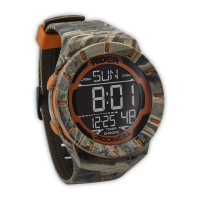
Describes the watch face elements like time, day, and icons.
Explains the function of buttons A, B, C, and D for operation.
Illustrates the sequence of switching between Normal Time, Chronograph, Timer, Alarm, and Second Time Zone.
Demonstrates how to switch to and view the calendar.
Guide to setting seconds, minutes, hours, and years.
Steps for setting months, date, time format, and button tone.
How to start, stop, and continue the chronograph timing.
Transitioning from chronograph to Lap or Split timing modes.
Initiating and pausing lap or split time measurements.
Resuming and clearing lap or split time data.
Accessing previously recorded lap and split times.
How to view stored split and lap times.
Displaying the final recorded split and lap times.
Shows average lap time and total elapsed time.
Clearing all stored lap and split records.
Accessing timer mode and setting the duration.
How to set hours, minutes, seconds, and operate the timer.
Accessing and setting up daily alarms (1-4).
Setting hours, minutes, and specific alarm times.
Accessing and setting up date-specific alarms (5-8).
Setting months, dates, hours, and minutes for date alarms.
Adjusting hours and minutes for a second time zone.
How to set a 30-minute offset for time zones.
Instructions for enabling or disabling the hourly chime.
How to turn on the watch's electro-luminescent backlight.
Information on button sounds and general beeps.
Details on alarm duration and timer sound priority.
Guidelines for cleaning and avoiding damage.
Warnings about water, temperature, and electrical fields.
Overview of information shown in the standard display.
List of the watch's primary functionalities.
Details on accuracy and operating temperature.

 To Next Page
 General