
 Need help?
Do you have a question about the Rockwell Stratix 5400series and is the answer not in the manual?
Access product release notes from the Product Compatibility and Download Center.
Provides information concerning related products from Rockwell Automation.
Details about the EtherNet/IP network interface and CIP protocol.
Compares Lite and Full firmware features for Stratix 5700 switches.
Lists software features configurable via Device Manager, Logix Designer, or CLI.
Provides descriptions of hardware features for various Stratix switch models.
Explains how to use SDM templates to configure system resources for optimization.
Overview of initial setup tasks using Express Setup for switches.
Details on using the physical Express Setup button on the switch.
Describes three modes (Short, Medium, Long Press) for multi-mode Express Setup.
Step-by-step instructions to run single-mode Express Setup.
Steps to configure network settings using the Device Manager interface.
Steps to configure network settings using the Studio 5000 Logix Designer application.
Information on using the SD card for configuration storage and synchronization.
Instructions on downloading and applying firmware updates to switches.
Methods for accessing the switch's Command-line Interface (CLI).
Lists necessary items and tools for installing the Stratix 5400 switch.
Procedure to verify switch operation before final installation.
Steps to mount the switch onto a DIN rail using its spring-loaded latch.
Procedure for properly grounding the switch for DC power connections.
Instructions for wiring the DC power source to the switch.
Guide on installing Small Form-factor Pluggable (SFP) modules into switch slots.
Steps to connect devices to the switch's copper Ethernet ports.
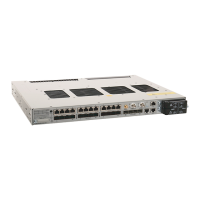
Lists necessary items and tools for installing the Stratix 5410 switch.
Instructions for mounting the switch onto a rack using brackets.
Steps for mounting the switch onto a wall.
Procedure for installing a second power supply module into the switch.
Instructions for wiring the power source to the switch.
Procedure for removing a power supply module from the switch.
Instructions for wiring external alarms to the switch.
Lists necessary items and tools for installing the Stratix 5700 switch.
Steps to mount the switch onto a DIN rail.
Procedure for grounding the switch for DC power connections.
Instructions for wiring the DC power source to the switch.
Guide on installing Small Form-factor Pluggable (SFP) modules into switch slots.
Steps to connect devices to the switch's 10/100/1000 Ethernet ports.
Instructions for connecting devices to Power over Ethernet (PoE) ports.
Lists necessary items and tools for installing Stratix 8000/8300 switches.
Instructions for mounting the switch on a DIN rail or wall/panel.
Guide on installing Small Form-factor Pluggable (SFP) modules into switch slots.
Instructions for wiring the DC power source to the switch.
Steps to wire DC power to the PoE expansion module.
Instructions for wiring external alarms to the switch.
Details on configuring ACLs to permit or deny packets based on conditions.
Steps to configure ACLs using the Device Manager interface.
Describes alarm types and configurations for different switch models.
Details on configuring Precision Time Protocol (PTP) for clock synchronization.
Overview of DLR networks, configurations, and considerations.
Configuration of DHCP to assign IP addresses to devices based on ring positions.
Bundling of multiple ports into a logical link for higher bandwidth.
Applying QoS macros to prioritize motion traffic for EtherNet/IP networks.
Managing multiple Stratix 5410 switches as one logical device.
Configuration of NAT instances for IP address translation.
Steps to configure NAT instances through Device Manager.
Steps to configure NAT instances using the Logix Designer application.
Monitoring switch status and performance using the Device Manager Dashboard.
Viewing switch status parameters within the Studio 5000 Logix Designer application.
Reviewing events and alarms displayed in the switch system log.
Viewing historical data to analyze traffic patterns and identify problems.
Viewing statistics for data passing through switch ports.
Monitoring NAT statistics via Device Manager or Logix Designer application.
Monitoring Device-level Ring (DLR) status in Device Manager and Logix Designer.
Using front panel status indicators to troubleshoot installation issues.
Troubleshooting steps for issues related to cables and connectors.
Troubleshooting port connectivity failures due to disabled ports or interfaces.
Basic troubleshooting for issues related to the switch IP address.
Troubleshooting common issues with accessing and operating Device Manager.
Basic troubleshooting for issues related to switch performance.
Procedure to access the switch via a physical connection using Device Manager.
Steps to restart or reset the switch to resolve configuration issues.
Procedure to recover switch firmware if it is corrupted or lost.
Procedure to reset the switch to its original factory settings.
Lists module-defined data types for Stratix 5400 switches, including input and output.
Lists module-defined data types for Stratix 5410 switches.
Lists module-defined data types for Stratix 5700 and ArmorStratix 5700 switches.
Lists module-defined data types for Stratix 8000 and 8300 switches.
Identifies instance numbers of Ethernet link objects associated with Stratix 5400 switch ports.
Identifies instance numbers of Ethernet link objects associated with Stratix 5410 switch ports.
Identifies instance numbers of Ethernet link objects associated with Stratix 5700 switch ports.
Identifies instance numbers of Ethernet link objects associated with ArmorStratix 5700 switch ports.
Identifies instance numbers of Ethernet link objects associated with Stratix 8000/8300 switch ports.
Details the port ID composition for Stratix 5400 switches.
Details the port ID composition for Stratix 5410 switches.
Details the port ID composition for Stratix 5700 switches.
Details the port ID composition for ArmorStratix 5700 switches.
Details the port ID composition for Stratix 8000/8300 switches and expansion modules.
Describes how to connect to ports on Stratix 5410 switches.
Details RJ45 connector and Ethernet pinouts for 10/100/1000 ports.
Cabling guidelines for connecting to 10BASE-T and 100BASE-TX devices.
Cabling guidelines for connecting to 10BASE-T and 100BASE-TX devices.
Describes Ethernet port pinouts on dual-purpose ports.
Explains console ports for connecting a switch to a computer via CLI.
Describes how to connect to ports on ArmorStratix 5700 switches.
Describes how to connect to ports on Stratix 8000/8300 switches.
 General
| Category | Industrial Ethernet Switch |
|---|---|
| Switching Capacity | Up to 128 Gbps |
| Type | Managed |
| Port Types | Gigabit Ethernet |
| Power over Ethernet (PoE) | PoE and PoE+ options available on some models |
| Layer | Layer 2/3 |
| Power Supply | Dual power supply options |
| Management | Web browser, Command-Line Interface (CLI), Simple Network Management Protocol (SNMP) |
| Operating Temperature | -40°C to 70°C |
| Mounting | DIN rail |
| Certifications | CE |

 To Next Page