12
of the RouteControl and LH 100 does not blink
any more;
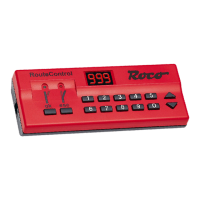
7. Press “ok“ key of the RouteControl;
8. Remove the green wire of the turnout drive
from the rail.
Programming of the turnout drive 42624
white housing:
The following applies to both Lokmaus
®
systems and
the Lenz system:
1. Connect Lokmaus
®
/LH100 and the RouteCon-
trol to the Central unit/ampilifer;
2. Activate power supply;
3. Connect green cable of the turnout drive with
one of the two rails (attach contact rail connec-
tor);
4. Select the desired turnout address with the
RouteControl;
5. Press either direction key “esc“ or “ok“;
6. Remove the green wire of the turnout drive
from the rail.
Programming and Connecting ROCO turnout
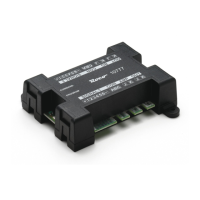
quadruple decoder 10771:
In both Lokmaus
®
systems and the Lenz system the
turnout decoder 10771 is connected directly to the
track or the output of the ROCO amplier/booster or
central unit via the terminal connector J/K. The polar-
ity of the connections is not relevant.
For Programming the addresses of the four
consecutive addresses which must be arranged in
four-time sequences (i.e. 001 – 004, 005 – 008, 009
– 012 etc.) it is sufcient to:
1. press the programming key at the longitudinal
side of the decoder for at least 5 seconds until
the control LED at the narrow side of the de-
coder is lit and does not go dark;
2. call up any of the four addresses which belongs
to the wanted group of four addresses and
3. press either the direction key “esc“ or “ok“.
All other addresses of the group of four are auto-
matically allocated and can be called immediately.
In the Lokmaus
2
®
system the attributes of the
outputs cancerning switch-pulse-length, blinking
or constant current supply can be changed: even
with the standard program settings of the Lokmaus
2
®
(“P“ and “F1“ for output 1, “P“ and “F2“ for
output 2, “P“ and “F3“ for output 3 and “P“ and
“Stop“ for output 4) it is possible to vary the preset
pulse length between 0 and 15 (for a pulse between
0.1 and 15 seconds length), 32 for continuous cur-
rent and a value from 33 to 47 (for a blink frequency
between 4 and 0.5 hz). For exact settings please
refer to the instructions for the Quadruple Decoder
10771.
Please note:
Since address and output attributes of the quadru-
ple decoder are not protected against changes as a
result of other programming steps by the Lokmaus
®
even without operating the programming key it is
urgently recommended to use a programming track
for doing the locomotive programming. The layout
running track can tbe disconnected for the time
that locomotive programming is done. If several
quadruple turnout decoders are in use care must be
taken that when programming output attributes all
decoders which are not “involved“ have their digital
power supply disconnected!
Basically this programming routine is similar to the
eightfold decoder 10775. For the complete instal-
lation and use of this decoder please refer to the
enclosed instruction manual.
Editing of track routes – the pro-
gramming, program changing, read-
ing and erasing of track routes
32 track routes can be dende and programmed
with each RouteControl 10772. One track route can
include at most 98 turnouts, twin-coil relays or mag-
net-operated signals. Altogether 119 magnetically
operated objects or their positions as components
of track routes can be determined. If one of two last
mentioned numbers is exceed the indication “Full“
appears in the display. No additional positions can
then be added to the track route(s). To avoid having
to manually add up the number of positions of each
track route the number of turnouts that can still be
“accommodated“ in track routes can be ascertained
with the menu setting Cd.
Even though it is possible to work with the Route-
Controller while running trains with the Lokmaus
®
it is recommended to stop running trains while pro-
gramming or changing programs since it is necessary
to test the functions turnout or other magnetically
operated articles. The editor must be called up and
closed separately for each track route.


 To Next Page
 Loading...