11
Overview
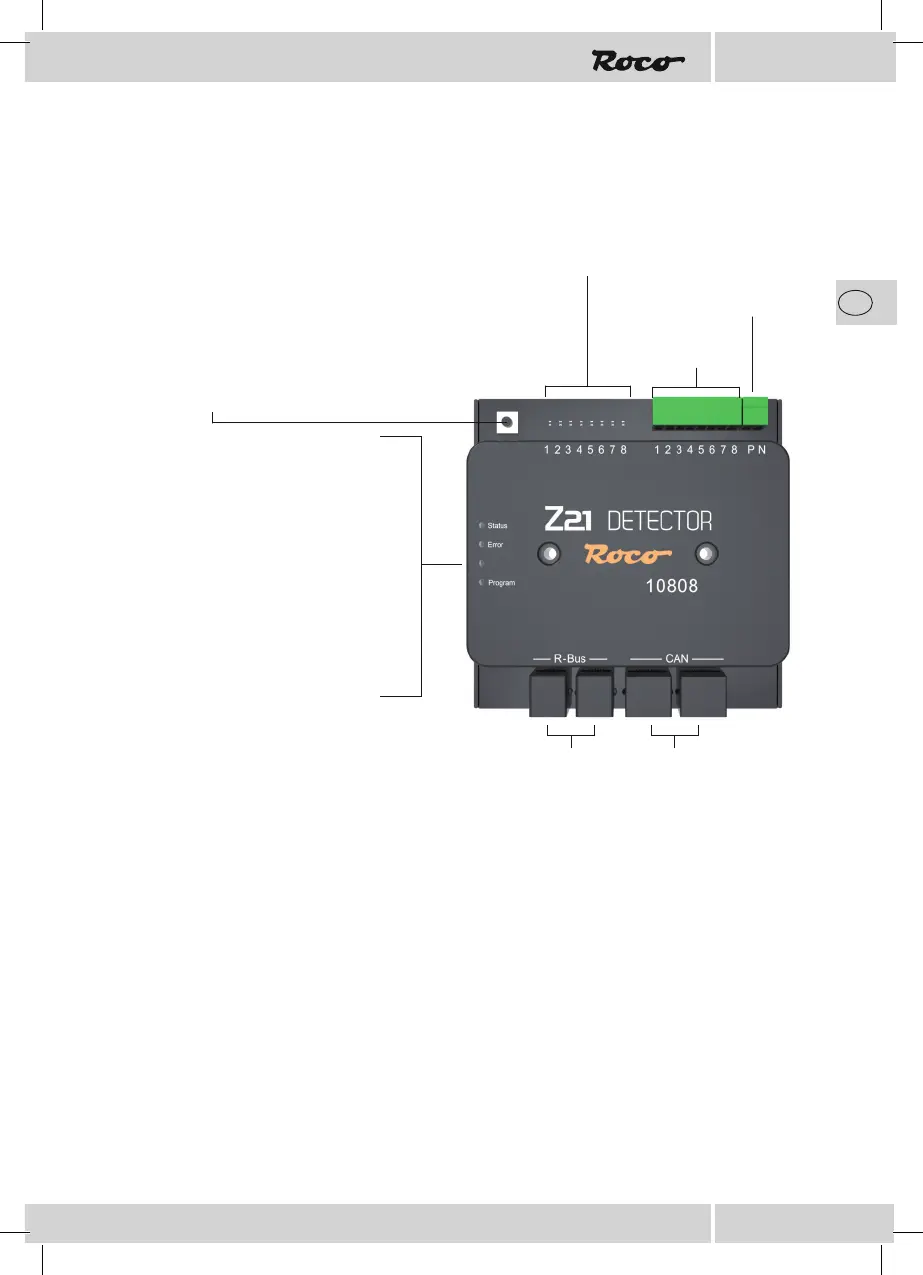
Status LED
ashes blue no CAN / B-BUS connecti
on with the control centre
illuminates blue normal operation
Error LED
illuminates red update error
Program LED
ashes white update mode
ashes white waiting for addressing
A complete or partial automation of your system makes it absolutely necessary that you install an efcient
feedback system.
The Z21 detector provides you with information on the status of dened track sections. This is especially
useful if parts of your system are not visible (e.g. staging yards) or if you want to have the occupied status
of the tracks displayed on your automation software or on the signal box of your Z21 app.
Should you use the Z21 detector with the CAN connection, you can read the locomotive addresses on the
occupied track sections and determine the rerailing direction by using the RailCom
®
.
You will nd more usage and conguration information on the www.z21.eu website (10808 – Z21
Detector). As the Z21 detector is permanently provided with software-based function enhancements, you
can always obtain the latest information from the Z21 homepage.
Intended Use and Function
Track supply
Occupied indicator LEDs:
• The occupied indicator LEDs indicate the occupied track sections by illuminating.
• After commissioning: LEDs 1-4 display the module address in binary numbers for
3 sec. at the beginning (from address 10, LED No. 8 represents the tens digit).
Detector inputs
R-BUS CAN-BUS
Programming button:
• Press for 1 second: the conguration starts & the white “Program“
LED ashes
• Activate the magnet article (e.g. points command) with the desired
address.
• Adresse wird vom Z21 Detector übernommen.


 To Next Page
 Loading...