52
52
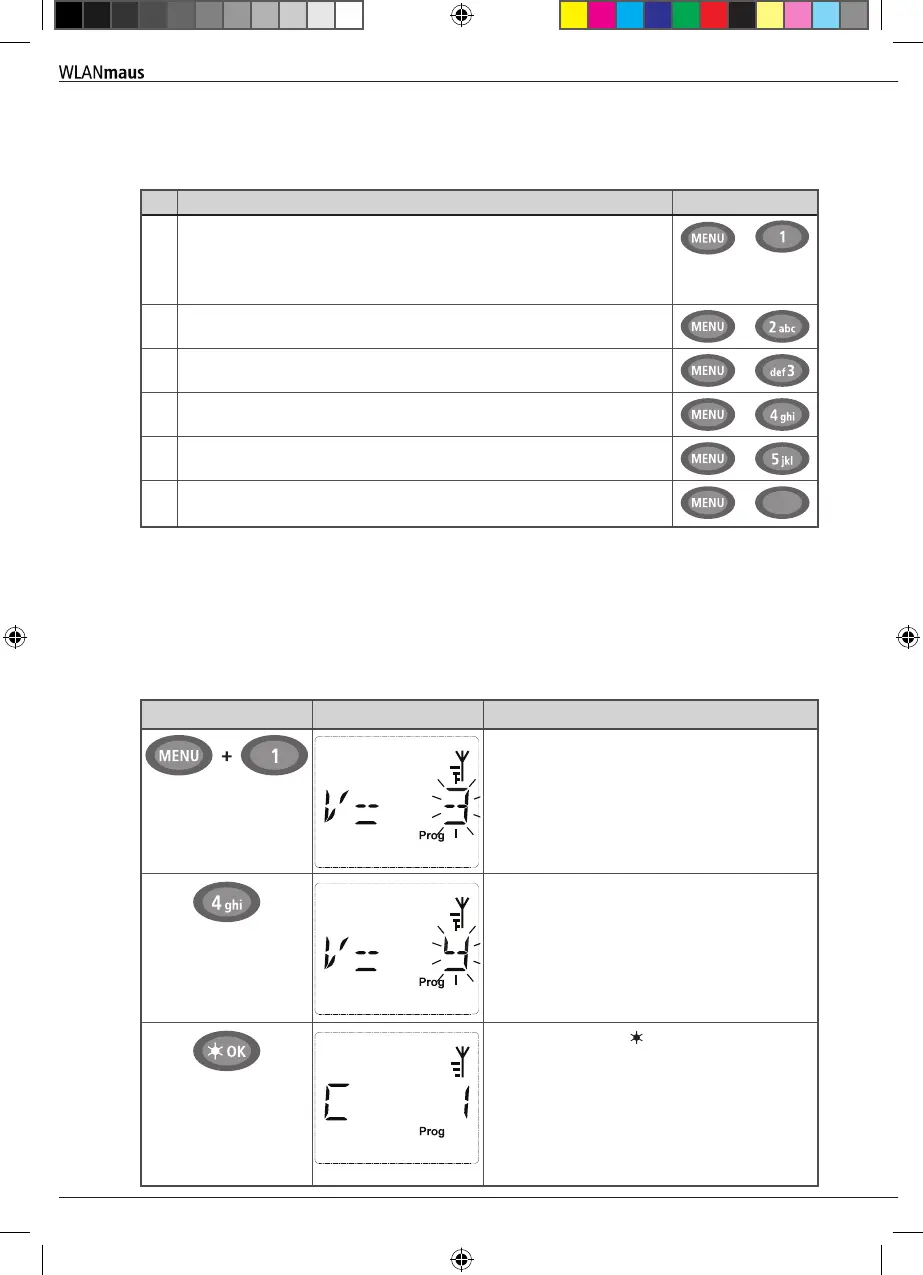
2.6 Quick programming
The most important decoder settings for drive mode, known as conguration variables CVs, can be
made using the combination of MENU-key + function key.
CV
Function keys
1 Locomotive address
Note: A change to this value has a direct effect on the decoder but not
on the locomotive library. The address saved there has to have the same
value as the CV.
+
2 Minimum speed
+
3 Acceleration
+
4 Braking time
+
5 Maximum speed
+
8
Resetting all decoder data to factory values (please read the decoder
manual).
+
8 tuv
Quick programming is possible in both library mode and locomotive address mode. All changes to
CVs 1–5 only have an effect on the locomotive in digital operation. It is basically possible to enter
values between 1 and 255 (locomotive address up to 9,999, read Part 3 “Menus” for details about
addresses above 100!). Since each decoder and each CV requires specic values, please consult the
corresponding decoder manual.
Example: To program the locomotive address = CV1 to value 4:
Input Display message Comment
The display indicates the selected CV rst (dis-
played as “C 1”) and then switches to displaying
the read value. Values are not displayed in POM
mode (Part 3 “Menus”).
Press one of the function keys to overwrite the
displayed CV value. The insertion point ashes.
Conrm by pressing OK-key. The WLANmaus
returns to train operation after the last display
(“CV 1”).
Note: After checking the CV1 of a locomotive,
check whether the address information of the
locomotive in the locomotive library is still cor-
rect.
Operation - Driving and Switching
8010813920.indd 52 13.07.2017 10:27:47


 To Next Page
 Loading...
