
 Need help?
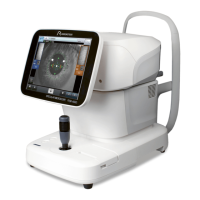
Do you have a question about the Rodenstock REM 4000 and is the answer not in the manual?
Describes the manual's overall structure and organization.
Explains the meaning of various symbols used throughout the document.
Lists essential safety precautions that must be followed during instrument operation.
Details necessary checks and preparations before starting instrument use.
Outlines safety measures and considerations during instrument operation.
Provides guidance on actions to take after the instrument has been used.
Details how to verify all items included in the instrument's packaging.
Defines technical terms and acronyms used within the manual.
Provides a general introduction to the instrument's capabilities and purpose.
Identifies and describes components accessible to the operator.
Identifies and describes components related to patient interaction.
Details the various connectors, slots, and switches on the instrument's sides.
Describes the main layout and common elements on the instrument's screen.
Details the interface and controls for capturing images.
Explains how to review and select captured images for analysis.
Describes the interface and results display for data analysis.
Explains the meaning of various symbols used for marking on the instrument.
Lists critical safety measures to follow before commencing operations.
Covers initial setup steps including connections and power.
Covers the process of capturing corneal endothelial images.
Covers the different methods and procedures for analyzing captured data.
Covers procedures for exporting, printing, and saving examination data.
Covers procedures for managing stored patient and examination data.
Covers the configuration of various instrument settings.
Outlines the terms and conditions of the manufacturer's limited warranty.
Specifies the designed operational lifespan of the instrument.
Advises on periodic checks and when to contact service for issues.
Provides instructions for regular cleaning and upkeep of the instrument.
Details the process for replacing parts like fuses and printer paper.
Provides instructions for storing the instrument safely when not in use.
Outlines responsible methods for disposing of the instrument and its materials.
Addresses and provides solutions for frequently encountered operational problems.
Lists detailed technical parameters of the instrument.
Specifies conditions for operation, storage, and transport.
Classifies the instrument based on electrical shock protection and operation mode.
Declares the instrument's compliance with electromagnetic compatibility standards.
 General
| Brand | Rodenstock |
|---|---|
| Model | REM 4000 |
| Category | Microscope |
| Language | English |

 To Next Page