25
Adjusting your Organ
Other Settings
■ Making USB and MIDI Related Settings
Procedure
1. Hold down [VOLUME] and press [VALUE] to
enter Edit mode.
2. Turn [TONE CATEGORY] to select “CELESTE
(SETUP MODE).”
3. Turn [PART] to select the parameter.
4. Turn [VALUE] to select the desired setting.
5. Press [VALUE] to set (write) the value.
6. Press [VOLUME] to exit Edit mode.
* With these parameters, changes in the settings are not reflected until the power is turned off and then on again.
Furthermore, only the MX-200 can be used to make the settings.
■ Checking the Program Version
Procedure
1. Hold down [VOLUME] and press [VALUE] to
enter Edit mode.
2. Turn [TONE CATEGORY] to select “CELESTE
(SETUP MODE).”
3. Turn [PART] to “5 (VER.DISPLAY).”
The program version (number) is displayed.
4. Press [VOLUME] to exit Edit mode.
PART
Knob
Position
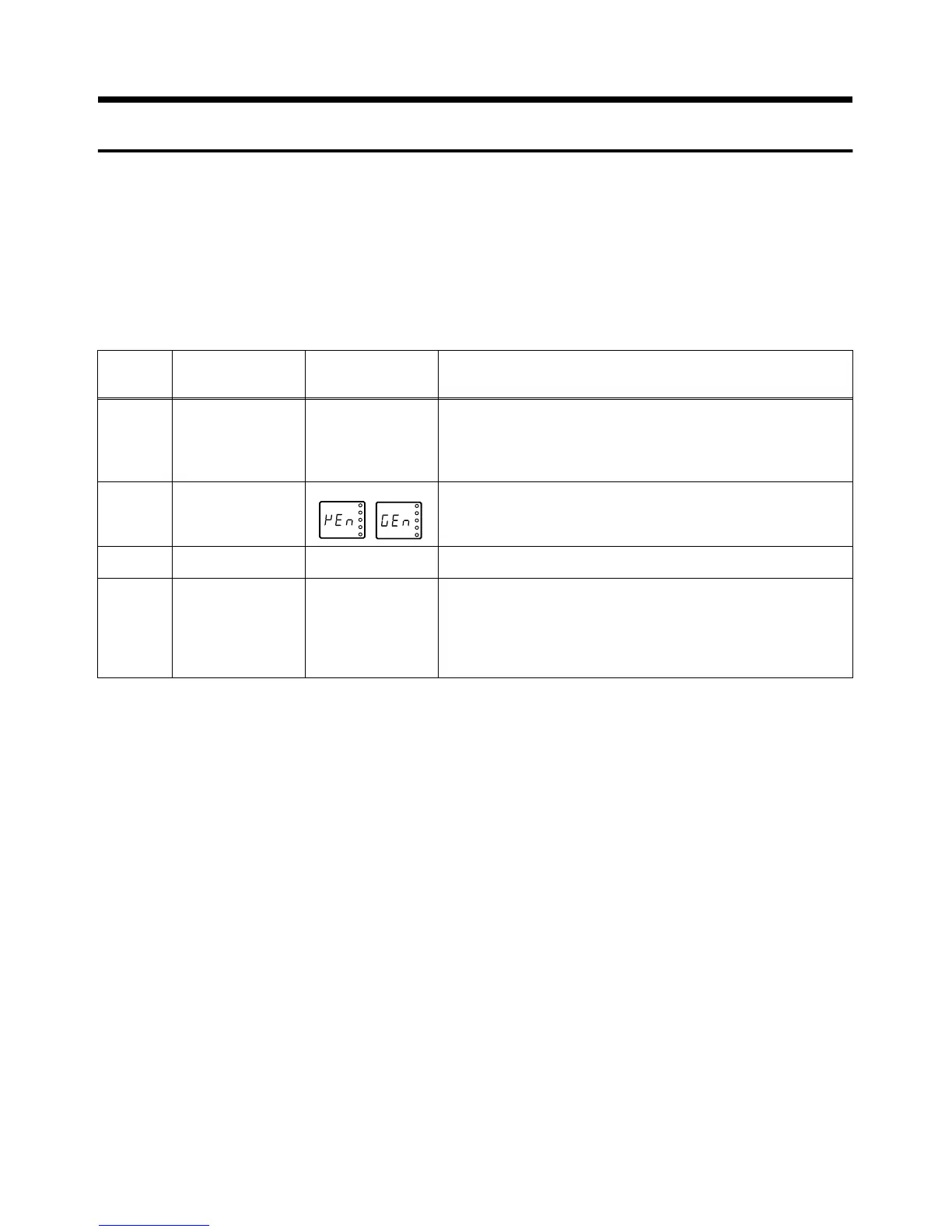
Parameter Value Description
6 PERFORMANCE
CONTROL CHAN-
NEL
1–16, OFF When MIDI messages from an external device are used to switch the
MX-200’s Organ Type setting, set the external device’s transmission
channel and this channel setting to the same channel.
* After Factory Reset, this is set to “OFF.” Do not change this setting
unless you have a particular need to do so.
7 USB DESCRIPTOR VEN, GEN This parameter will be used with future expansions. Although it nor-
mally does not affect operations, keep it set to “VEN” anyway.
VEN (VENDOR): Select this setting.
GEN (GENERIC): Do not select this setting.
8 MIDI-USB THRU OFF, ON This parameter will be used with future expansions. Ordinarily, you
should keep this set at “OFF.”
9 RECEIVE GM2 ON OFF, ON This setting determines whether GS RESET, GM SYSTEM ON, and
GM 2 SYSTEM ON MIDI messages are received (ON), or not (OFF)
(p. 26).
* This is normally set to “ON.” Set this to “OFF” only when record-
ing the MX-200’s tones while using the MX-200 in combination
with a PR-300S.


 To Next Page