ROFU B5000 APP
7
Auto Proximity Range Adjustment and Auto unlock Function
Auto Proximity Range Adjustment and Auto unlock Function
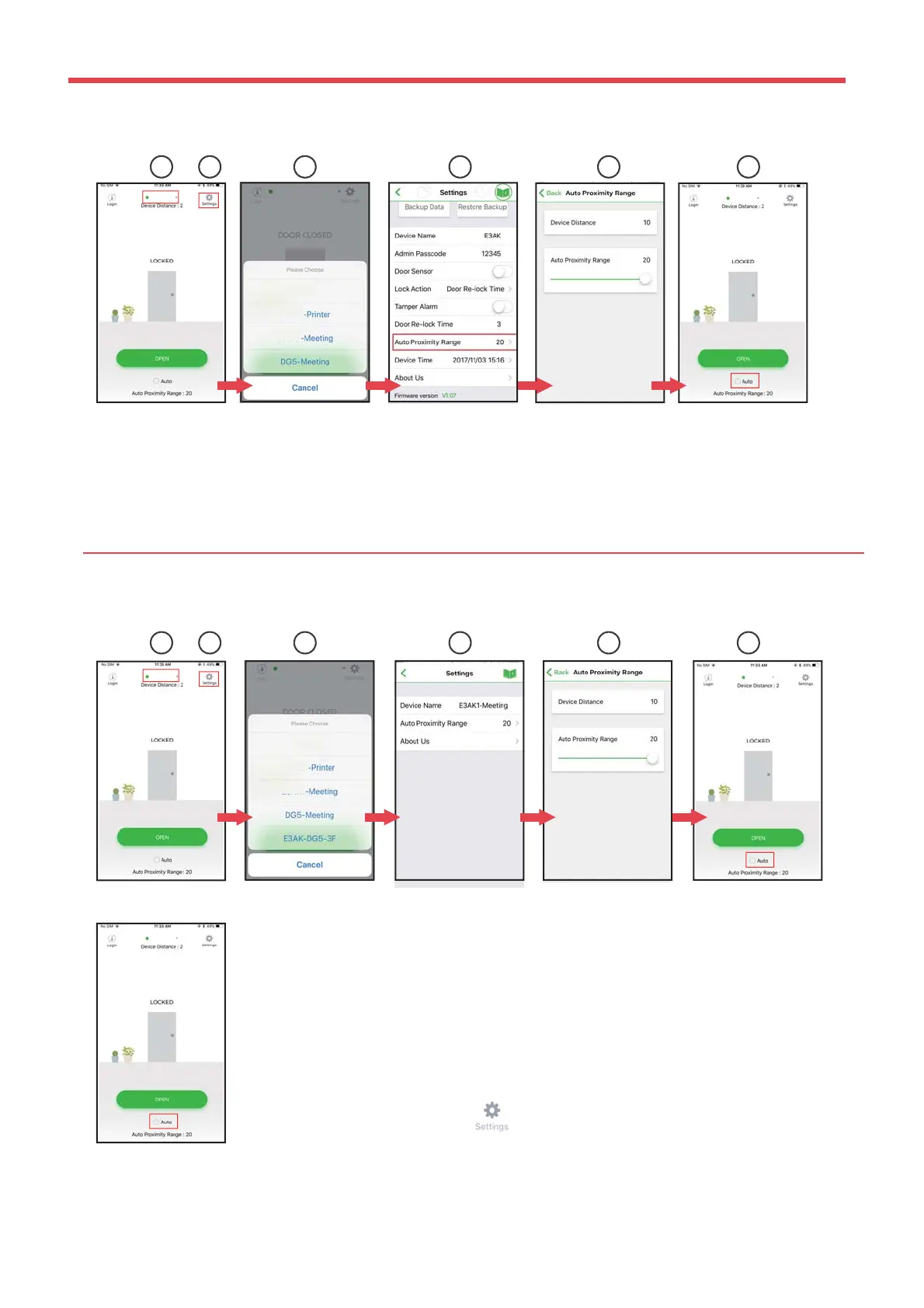
Administrator Interface:
User Interface:
1 2 3 54 6
Note:
Make sure to disable Auto before pressing to enter Settings page.
1 2 3 54 6
figure ① Tap ①to go to Device list page as ②.
figure
② Select the desired Bluetooth Access Control Keypads/Readers around you.
Tap ④ Settings button to go into Settings page as figure ③ to select “Proximity Read Range”
figure
⑤ Adjust “Auto Proximity Range” for Auto unlock function between 0 to 20.
figure
⑥ Back to the main page. Tap “Auto”to enable Auto unlock function to access.
figure ① Tap ① to go to Device list page as ②.
figure ② Select the desired Bluetooth Access Control Keypads/Readers around you.
Tap ④ Settings button to go into Settings page as figure ③ to select “Proximity Read
Range”
figure ⑤ Adjust “Auto Proximity Range” for Auto unlock function between 0 to 20.
figure ⑥ Back to the main page. Tap “Auto”to enable Auto unlock function to access.
Copyright All Rights Reserved ROFU Security International Corp. ROFU BKC-5000B. Published: 2018.09.11
Auto proximity range indicates approximate distance between mobile app and Bluetooth keypad/reader.
Scale is arbitrary.


 To Next Page