
 Need help?
Do you have a question about the ROFU BKC-5000B and is the answer not in the manual?
Details LED status and corresponding audible beep sounds for device feedback.
Step-by-step guide to reset the access control reader to factory default settings.
Instructions on how to download and install the ROFU B5000 mobile application.
Guide for initial login as Administrator or User within the ROFU B5000 app.
Overview of the main administrator settings within the ROFU B5000 application interface.
Details on adding, deleting, and editing user information via the app.
How to add, delete, and edit user profiles and access permissions in the app.
Information on tracking and exporting event logs for security monitoring.
Procedures for backing up device data to a smartphone.
How to restore previously backed-up data to an access control device.
How to edit the device name for easier identification.
Instructions for changing the administrator's default passcode for security.
How to enable and configure the door sensor for monitoring door status.
Options for configuring door lock actions, including re-lock times.
How to activate and manage the tamper alarm feature for device security.
Setting the interval for the door to automatically re-lock after opening.
Information on setting device time and checking firmware versions.
Displays device model, app version, website, and contact information.
How to edit a user's unique ID, up to 16 characters, in the app.
Instructions to change or set a user's passcode, 4 to 8 digits.
How to enter the 10-digit code from a card or fob for user access.
Enabling or disabling keypad and card/fob access independently for users.
Choosing access duration: permanent, temporary, number of times, or scheduled.
Defining specific start and end times for temporary user access.
Limiting the number of times a user can access the device.
Configuring recurring access on specific days and times for users.
Setting the proximity read range for auto unlock function between 0 to 20.
Activating the auto unlock feature by tapping 'Auto' on the app.
Adjusting the proximity range for auto unlock from the user interface.
Enabling auto unlock functionality from the user's mobile device.
How to enter a passcode followed by '#' to unlock the door after login.
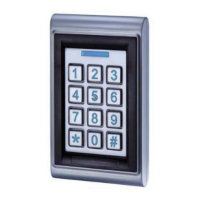
The ROFU BKC-5000B is a Bluetooth Access Control Keypad designed for secure entry management. It combines traditional keypad access with modern Bluetooth smartphone control, offering a versatile solution for various applications.
The primary function of the BKC-5000B is to provide controlled access to a secured area. Users can gain entry through multiple methods:
The system supports one administrator and up to 200 users, including 200 proximity cards/key fobs. It features a built-in tamper alarm and buzzer (85dB) to alert against unauthorized attempts to remove or damage the device. An alarm output is also available to notify external systems when the tamper alarm is triggered. For ease of use in low-light conditions, the keypad includes overhead LEDs and backlit keys. The device maintains an audit trail, logging the last 1000 events, which can be exported for review. A security feature prevents brute-force attacks by locking down the keypad for 60 seconds if an incorrect passcode is entered three times consecutively.
The ROFU B5000 APP provides comprehensive control and management capabilities:
 General
| Brand | ROFU |
|---|---|
| Model | BKC-5000B |
| Category | Remote Control |
| Language | English |

 To Next Page