PRT-LT Series Readers fv1.25 Rev. G 2016-10-08
Page 4 from 17
RACS Format
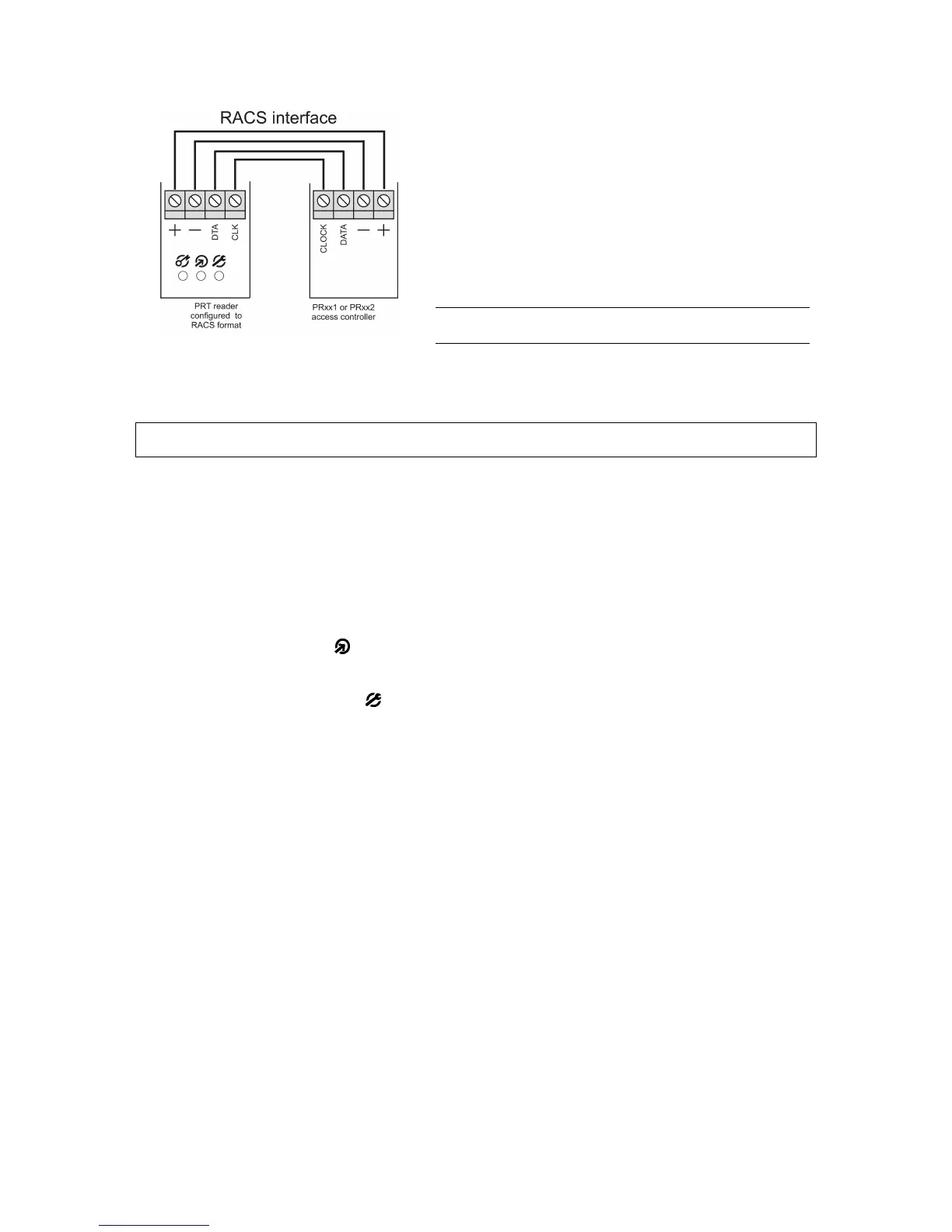
When employing RACS format, the PRT-EM unit
communicates with the host via CLK/DTA lines. Unlike
in the Wiegand and Magstripe formats, the PRT-LT
unit using RACS format requires an individual address
(ID=0…3) to be set during configuration of the reader.
With RACS format, communications between the
reader and the host is bilateral, this allows controller to
monitor communication. The reader’s LED-s and the
buzzer are controlled by the host unit, unless the
reader has lost communication with the host.
Note: When all LED-s are flashing it indicates that
reader lost communication with the host unit.
When in RACS mode triggering of the IN1 disables reading of the card and keypad. This input can
be used for temporary disabling of the reader. The IN2 is not used in RACS mode.
3. C ONFIGURING T HE R EADER
3.1. MEMORY RESET
The Memory Reset erases entire contents of the reader’s memory and enables for programming
of the reader’s operating mode.
Memory Reset procedure:
1. Power down the unit
2. Remove all connections from CLK and IN1 lines
3. Connect CLK to IN1
4. Restore power, reader will generate continuous beep
5. While LED OPEN (green) is flashing and accompanied with continues sound
disconnect CLK from IN1, after this step reader’s memory is erased and filled with
default values
6. Wait till LED SYSTEM will start flashing
7. Enter three digits which will configure the reader for the required operating mode, (with
every entered digit reader generates two beeps). Optionally, if the programmed reader
is not equipped with the keypad emulate these three digits using method of multiple
card reading (see details in section below)
8. Once the previous step is completed reader automatically ends the Memory Reset and
enters normal operation


 To Next Page
 Loading...
