EasyManua.ls Logo

Roiscok RP208CN - User Manual

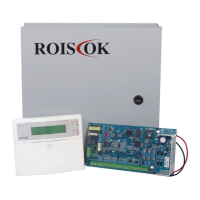
Roiscok RP208CN
51 pages
Print Icon
To Next Page IconTo Next Page
Loading...
RP208CN User’s and Installer’s Manual Page 1
INDEX
CHAPTER 1- SUMMARY OF USER’S COMMANDS ................................ 3
CHAPTER 2 – ABOUT THE KEYPAD .......................................................... 4
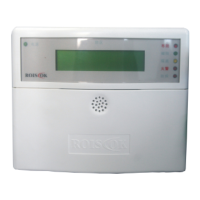
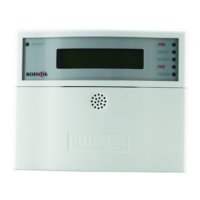
RP208KCL (LCD KEYPAD) ................................................................................ 4
LED INDICATION AND KEYS .................................................................................. 5
FUNCTION AND OPERATION .................................................................................. 7
1. Setting/Changing and Deleting User’s Code ................................... 7
2. Setting Date and Time ......................................................................... 9
3. Displaying System Date and Time..................................................... 9
4. Setting Follow-me Number ................................................................. 9
5. Quick Arming ...................................................................................... 10
6. Code Arming ....................................................................................... 10
7. Bell Squawk on Arming ..................................................................... 10
8. Disarming ............................................................................................ 10
9. On/Off Audible kiss-off ........................................................................11
10. Duress Disarming .............................................................................11
11. Cutting off Sounder and Stop Auto-dialing ....................................11
12. Bypassing/ Un-bypassing a Zone .................................................. 12
13. Escape Key [ESC] ........................................................................... 12
14. Emergency Keys .............................................................................. 12
15. Entry and Exit Delays ...................................................................... 13
16. 24-Hour Zone ................................................................................... 13
17. Trouble Display ................................................................................. 13
18. Zone Features .................................................................................. 14
19. Get Events from Event Logger ....................................................... 14
20. On/Off Door Chime .......................................................................... 15
CHAPTER 3 - INSTALLATION .................................................................... 16
BEFORE INSTALLATION ...................................................................................... 16
FAQ. OF INSTALLATION AND SOLUTION ............................................................... 16
THE MAIN BOARD ............................................................................................. 17

Table of Contents

Question and Answer IconNeed help?

Do you have a question about the Roiscok RP208CN and is the answer not in the manual?

Summary

CHAPTER 1- SUMMARY OF USERS COMMANDS

Setting;Changing and Deleting Users Code

Manage user codes, including adding, changing, and deleting them.

Setting Date and Time

Configure the system's date and time settings.

Quick Arming

Arm the system quickly without needing a user code.

Disarming

Disarm the system using user or master codes.

Bypassing; Un-bypassing a Zone

Temporarily disable or re-enable specific security zones.

Trouble Display

View system status and identify potential issues.

Zone Features

Understand and configure different zone types and behaviors.

Get Events from Event Logger

Retrieve historical system events and logs from the logger.

CHAPTER 2 - ABOUT THE KEYPAD

RP208 KCL (LCD Keypad)

Overview of the RP208KCL LCD Keypad and its capabilities.

LED Indication and Keys

Explains the meaning of system LEDs and keypad keys.

System Arming [ARM]

Details on how to arm the system using the ARM key.

Stay Home Arming [STAY]

Instructions for arming the system in Stay Home mode.

CHAPTER 3 - INSTALLATION

Before Installation

Preparatory steps and warnings before installing the system.

FAQ. OF INSTALLATION AND SOLUTION

Frequently asked questions and solutions for installation issues.

The Main Board

Details and connections related to the main control board.

Install Control Panel and Keypad

Guidance on installing the control panel and keypad.

Connect the Telephone Line

Instructions for connecting the telephone line to the mainboard.

Connect the Standby Battery

Guidance on connecting the standby battery for backup power.

Connect Transformer

Instructions for connecting the power transformer to the mainboard.

Connect Siren

How to connect the siren to the control panel.

Connect Detector(s)

Wiring instructions for connecting detectors to the system.

Connect Voice Module

Steps for connecting the voice module to the control panel.

Connect Remote Receiver

How to connect a remote receiver for wireless control.

Connect Wireless Module

Instructions for connecting the wireless expansion module.

CHAPTER 4 - FUNCTION AND TECHNICAL DATA

Main Features Of RP208 KCL

Key features and functionalities of the RP208KCL keypad.

Main Features of RP208 MB

Key features and functionalities of the RP208MB main board.

Restoring Factory Defaults

Procedure to restore the control panel to factory default settings.

Program Explain

Explanation of the programming process and location data.

Check Location Data

How to check data stored in specific programming locations.

Entry;Exit Program

How to enter, exit, and manage program states.

A Programming Tutorial

A step-by-step guide to basic programming operations.

General System Parameters: Locations 00-07

Configuration of general system parameters in specific locations.

Installer Code: Location 08-10

Setting and managing installer codes for system configuration.

System Time: Locations 11-13

Setting and configuring system time and delay parameters.

Intrusion Zone Types and Zone Sounds: Locations 14-21

Configuring zone types and their associated sounds.

Utility Outputs- Event and Result: Locations22, Default 00

Configuring utility outputs based on system events.

Communication Parameters: Locations26-29

Settings for system communication with the central station.

Digital Communicator Controls: Locations 26, Default 41

Configuration of digital communicator settings.

Central Station Protocols: Location 27, Default: 00

Setting communication protocols for central stations.

CS Protocols: Location 28, Default: 03

Detailed configuration of CS protocols based on digit codes.

Periodic Test Time: Location 31

Setting the time for daily test transmissions to the central station.

Communicator Reporting Codes: Locations 32-94

Defining codes for various system events and reports.

Reporting Codes for Alarm Events

Specific Contact ID reporting codes for alarm events.

Roiscok RP208CN Specifications

General IconGeneral
BrandRoiscok
ModelRP208CN
CategoryControl Panel
LanguageEnglish

Related product manuals