Confidential & Proprietary|© ROKIT Healthcare Inc. 2019. All Rights Reserved
Dr. INVIVO 4D User Guide
Printing Files via a USB Cable
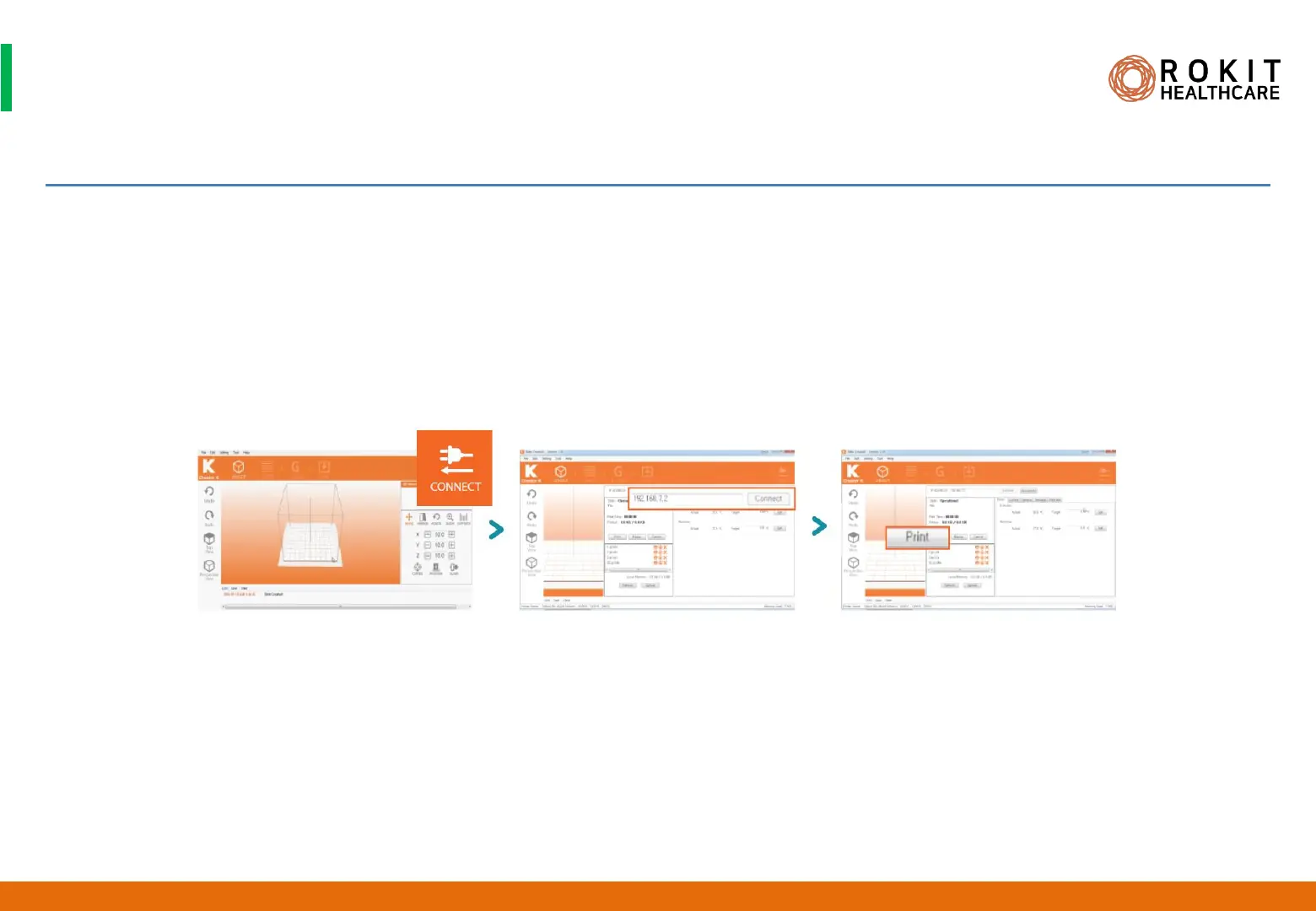
1. Run [New Creator K] and click the [CONNECT] icon.
2. Enter [DEBUG NETWORK IP address: 192.168.7.2] and click the [Connect] button on the right.
3. Once your computer is connected to Dr. INVIVO, you will see the word “Operational” appear in the status line. Upload your G-code file and
click the [Print] icon to begin printing.
39
INV-CHS-20191210


 To Next Page