120
Bluetooth drains your battery, so turn it off when not in use.
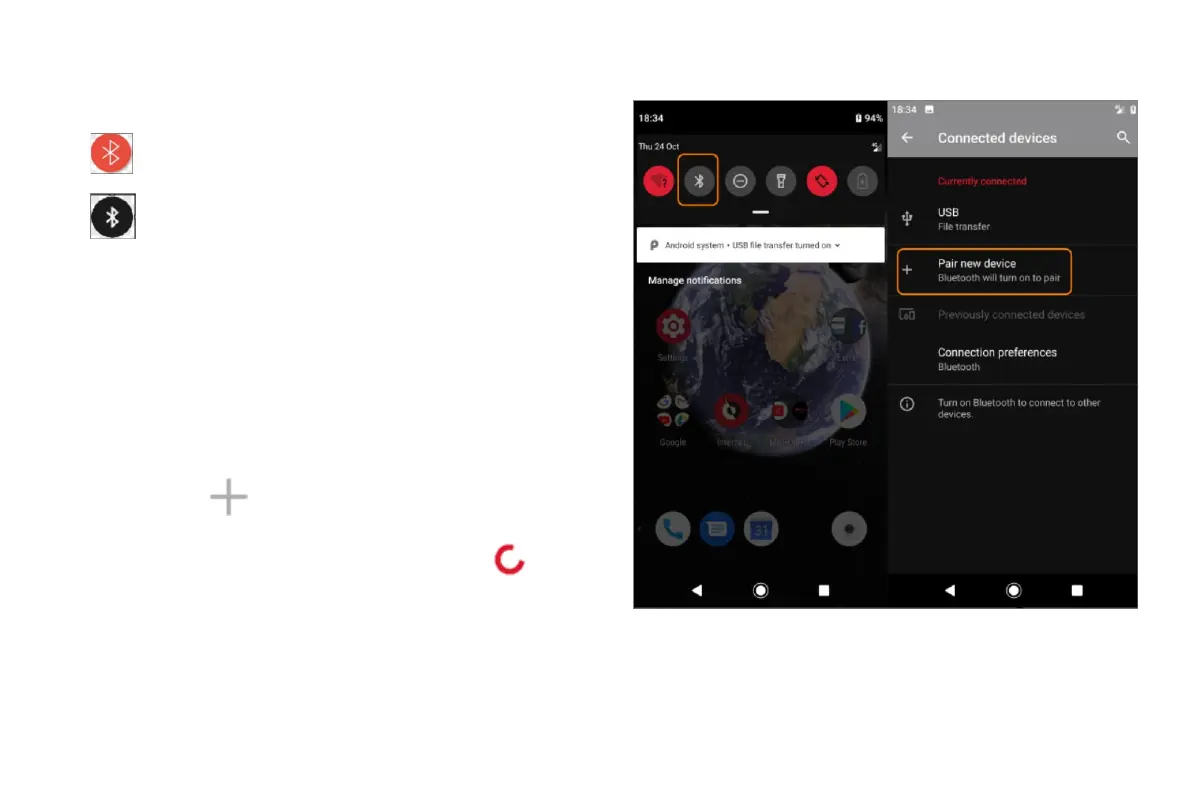
Open quick settings.
Touch the icon to switch on/off:
is on.
is off.
Pair with Bluetooth device
To connect with a new Bluetooth accessory or other device, you need
to pair with it. You only need to do this once for each device.
Set the device you want to pair (accessory, computer, other phone etc.)
to Bluetooth discovery mode so that your phone can find it. See the
device manufacturer's instructions.
• On your phone, go to Settings > Connected devices.
• Touch
.
As the phone searches for available devices, you'll see
.
Touch an available device to connect.
Do any of the following:


 To Next Page
 Loading...