121
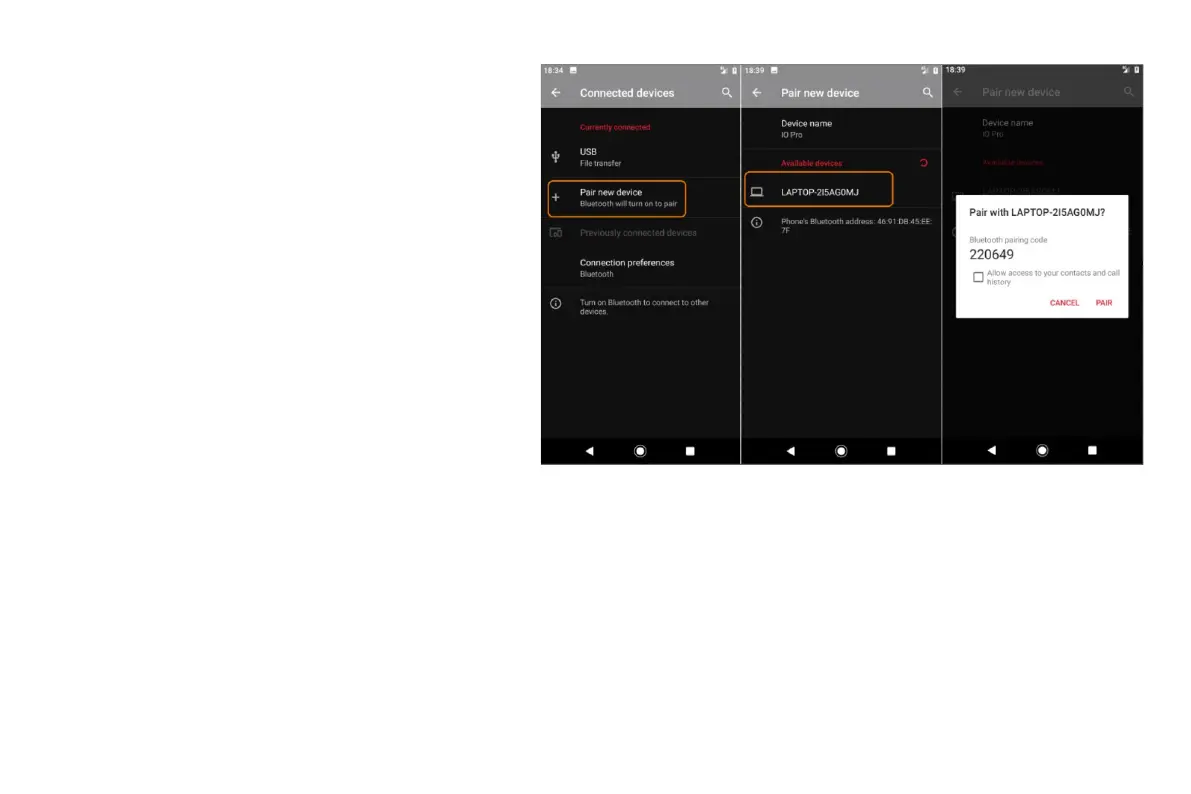
• If a pairing code appears on your phone and Bluetooth device, make sure that the codes match. (If they don't, touch Cancel, verify the
name of the device that you want to pair with
and try again.)
• If your device shows a passkey (like 0000 or
1234), enter it on your phone. If you don't see a
place to enter it, swipe down from the top of
your screen and touch the Bluetooth
notification.
• If your device doesn't show a passkey and you
must enter one for the device to pair, see the
device manufacturers' instructions.
• Touch Pair on your phone AND touch the pairing
prompt on the other device. If you don't confirm
on both devices, pairing will fail.
• Set sharing options if you'll want to share contacts, phone audio, media audio or Internet access.
Use paired device
After pairing with a device, you'll need to set sharing options and then you can use Bluetooth to:
• Make or receive calls with a headset
• Make or receive calls and play music over your car's audio system
• Transfer music


 To Next Page
 Loading...