60
Contacts
Add contacts automatically
When you add an account – such as Google or email – to
your phone, the contacts for that account are available on
your phone automatically.
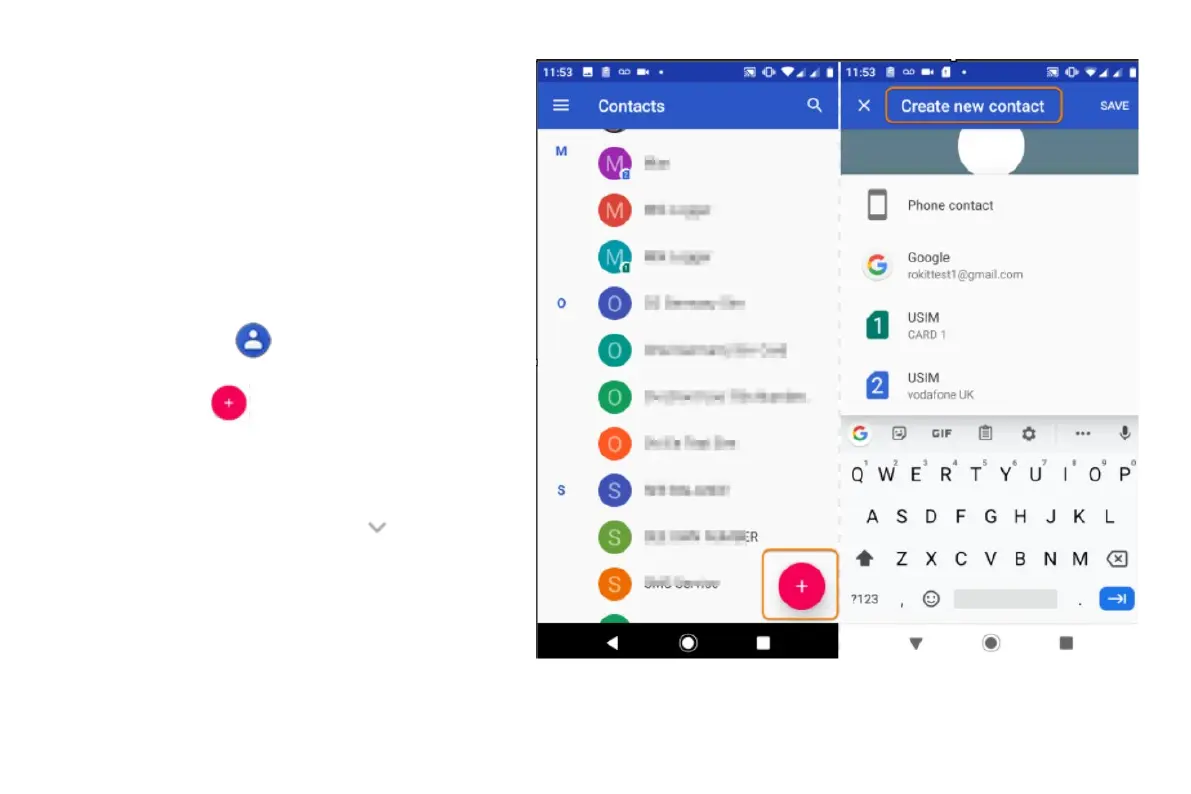
Add contact with Contacts app
• Open the
Contacts app.
• Touch
.
The account that will be synced with your new contact
appears at the top.
• To change accounts, touch
.
• Touch a text box to type the name and details.
Fill in as much or as little information as you like.
• Touch Save



 To Next Page