EasyManua.ls Logo

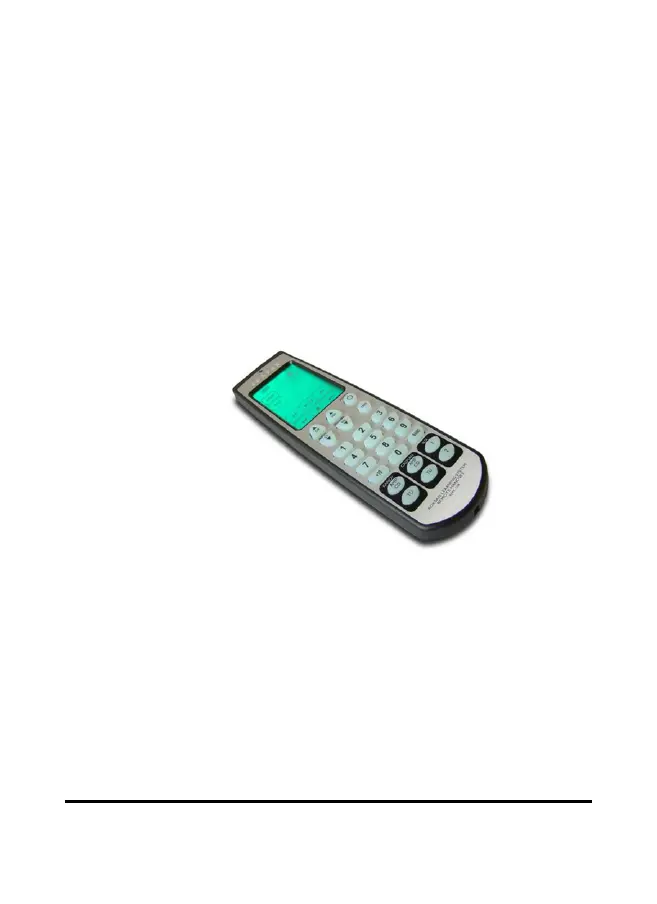
Roksan Audio RMX-108 - User Manual

Roksan Audio RMX-108
22 pages
Print Icon
To Next Page IconTo Next Page
Loading...
Roksan
RMX-108
User Manual

Questions and Answers

Summary

RMX-108 Features and Unpacking

Key Features Overview

Details macro sequences, device control, IR learning, preset codes, programmable keys, and power saving.

Understanding the Remote Controls

Initial Setup and Configuration

Entering Setup Mode

Press and hold the SETUP button for two seconds to access setup menus.

Setup Options and Procedures

Configure preset codes, learn new codes, create macros, delete codes, or reset the handset.

Learning Remote Control Codes

Code Learning Capabilities

Teach the RMX-108 commands from existing remotes, excluding device selection buttons.

Creating and Using Macros

Macro Functionality

Combine up to 60 commands, including delays, into a single button press.

Resetting the RMX-108

Factory Reset Procedure

Restore original settings by holding SETUP, then holding RESET for four seconds.

Advanced Features and Safety

Troubleshooting Guide

Touch Screen and Device Operation Issues

Solutions for a blank touch screen or failure to operate a device by checking batteries, programming, or distance.

Learning and Programming Errors

Addresses problems with learning codes, triple beeps, LED indicators, and recording functions.

Roksan Audio RMX-108 Specifications

General IconGeneral
BrandRoksan Audio
ModelRMX-108
CategoryRemote Control
LanguageEnglish