Did you notice? Your Roku player has no on/o switch. It’s simpler that way
and draws very little power—less than a nightlight! Keep it plugged in so that
it can download the latest software updates automatically.
E
A/V port – Connects your Roku player to a TV with the included A/V
cable (3.5mm to RCA). Provides standard definition quality only.
Power port – Connects your Roku player to a 120V AC power source with
the included power adapter.
G
Reset button – Resets your Roku player to its original factory settings
when pressed and held for 10 seconds (a feature you’ll rarely, if ever, use).
F
HDMI port – Connects your Roku player to an HDTV with an HDMI cable
(not included).
D
A
Status light – Flashes slowly when the Roku player starts up. Glows when
it’s on. Flashes once with each press of the remote control.
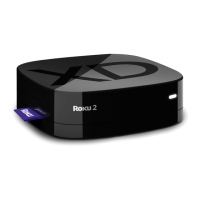
Storage expansion slot – Lets you increase your storage capacity for
Roku apps with a microSD card (optional, not included).
C
B
IR receiver – Receives signal from the included Roku remote.


 To Next Page