
 Need help?
Do you have a question about the Roku 2 XD and is the answer not in the manual?
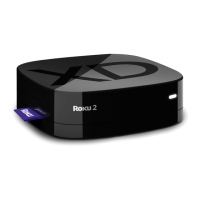
Overview of the Roku player's front appearance and labeled parts.
Overview of the Roku player's back appearance and labeled parts.
Connect the Roku player to your TV using HDMI or A/V cables.
Instructions for inserting batteries into the Roku remote.
Steps to connect the Roku player to your wireless home network.
Finalizing setup, updating software, and linking to a Roku account.
Detailed explanation of each button function on the Roku remote control.
Steps to resolve issues where no picture is displayed on the TV.
Solutions for problems connecting to a wireless network during setup.
Steps to resolve issues related to no sound output from the Roku player.
Guidance for troubleshooting a non-functional Roku remote control.

 To Next Page
 General