EasyManua.ls Logo

Roku Outdoor Camera SE - User Manual

Roku Outdoor Camera SE
12 pages
Print Icon
To Next Page IconTo Next Page
Loading...
Quick Start
Guide
Outdoor
Camera SE
Question and Answer IconNeed help?

Do you have a question about the Roku Outdoor Camera SE and is the answer not in the manual?

Summary

Product Components and Requirements

Included Items

Lists all accessories and parts provided with the Roku Outdoor Camera SE.

Required Tools and Devices

Details essential tools like a screwdriver and your smartphone for setup.

Getting Started: Initial Setup

Camera Charging Procedure

Instructions to charge the camera before proceeding with setup.

Download the Roku Smart Home App

Step 1: Obtain the app via QR code and log in or create an account.

Add Camera to App

Step 2: Integrate your camera into the Roku Smart Home application.

Installation Instructions

Wall Mounting Guide

Instructions for securely mounting the camera onto a wall surface.

Ceiling Mounting Guide

Instructions for securely mounting the camera onto a ceiling surface.

Camera Features and Status Indicators

Camera and Base Station Parts

Identification of key physical components of the camera and its accessories.

Understanding Status Lights

Explains the meaning of different LED light colors and flashing patterns.

Safety, Precautions, and Compliance

General Precautions and Warnings

Covers operating temperature, charging, and FCC warnings for safe use.

FCC Radiation Exposure Compliance

Statement on adherence to FCC limits for radio frequency exposure.

Battery Handling and Disposal

Guidance on proper disposal and recycling of the device's battery.

Support and Additional Information

Unlock More Features

Information on enhancing camera functionality with a subscription service.

Customer Support Resources

Access to help via setup videos, FAQs, and online guides.

Overview

The Roku Outdoor Camera SE is a smart home security camera designed for outdoor use, offering a range of features for monitoring and protecting your property. This quick start guide provides essential information for setup, operation, and maintenance of the device.

Function Description:

The Roku Outdoor Camera SE is a wireless security camera that connects to a base station and integrates with the Roku Smart Home app. It is designed to capture video and audio, providing real-time monitoring and event recording. Key functions include:

  • Video Surveillance: Records video footage, allowing users to monitor their outdoor environment.
  • Audio Capture: Equipped with a microphone to record audio alongside video.
  • Motion Detection: Detects movement and can trigger recordings or alerts.
  • Night Vision: Likely includes infrared capabilities for clear video capture in low-light or nighttime conditions (though not explicitly detailed, it's a standard feature for outdoor cameras).
  • Remote Access: Accessible via the Roku Smart Home app on a smartphone, enabling remote viewing and control.
  • Local Storage Option: Features a MicroSD slot for local storage of recordings (card sold separately), providing an alternative or backup to cloud storage.
  • Wireless Connectivity: Operates wirelessly, connecting to a base station which then connects to the home network.

Important Technical Specifications:

  • Operating Temperature Range: -4° to 122°F (-20° to 50°C). This indicates its suitability for various outdoor climates.
  • Charging: Uses a micro USB port on the camera, connected to the base station's USB port via a charging cable. Alternatively, a 5V/2A power adapter and cable can be used.
  • Power Source (Camera): Contains a Lithium Ion Battery, requiring charging before initial setup.
  • Power Source (Base Station): Requires a base station power adaptor and connects to power.
  • Connectivity: Connects wirelessly to the base station, which in turn uses an Ethernet cable for network connection (or potentially Wi-Fi, as "Connecting to Wi-Fi®" is a status light indicator).
  • Mounting: Includes a removable magnetic mounting base, 24mm M3 screws (x2), and drywall anchors (x2) for flexible installation options (wall or ceiling mount).
  • Included Components:
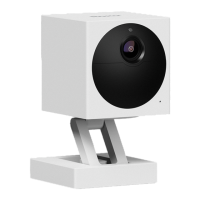
    • Roku Outdoor Camera SE (A)
    • Camera charging USB cable (B)
    • 24mm M3 screws (x2) (C)
    • Drywall anchors (x2) (D)
    • Removable magnetic mounting base (E)
    • Base station (F)
    • Base station power adaptor (G)
    • Base station ethernet cable (H)
  • Required Tools: Phillips screwdriver, smartphone.

Usage Features:

  • Easy Setup: The setup process involves downloading the Roku Smart Home app, signing in or creating an account, and then using the app to add and configure the "Outdoor Camera."
  • Flexible Mounting: The camera can be mounted on a wall or ceiling using the provided magnetic base, screws, and anchors. The magnetic base allows for easy adjustment of the camera's angle.
  • Status Lights: The camera and base station feature status lights (Yellow, Blue, Red, No Light) that indicate various operational states such as powering on, pairing, connecting to Wi-Fi, connected, charging, fully charged, and powered off/sleeping. This provides immediate visual feedback on the device's status.
  • On/Off Switch: The camera has an on/off switch for manual power control.
  • Sync Button: A sync button is present on the camera, likely used for pairing with the base station or resetting.
  • Roku Smart Home App Integration: All camera functions and settings are managed through the Roku Smart Home app, offering a centralized control point.
  • Subscription Features: Additional features and enhanced capabilities are available through a Roku Smart Home Subscription, suggesting cloud storage, advanced detection, or other premium services.

Maintenance Features:

  • Charging: The camera is rechargeable. It's recommended to fully charge the camera before initial setup for the best experience. Charging is done by connecting the camera's micro USB port to the base station's USB port.
  • Temperature Considerations: Users must avoid prolonged direct sunlight to prevent the camera from overheating beyond its maximum operating temperature of 122°F (50°C). The camera should only be used within its specified operating temperature range.
  • Battery Disposal: The device contains a Lithium Ion Battery. Users are instructed to dispose of batteries according to local recycling guidelines and not in household waste or open fire. Further information on battery recycling is available on the Roku support website.
  • Firmware Updates: While not explicitly mentioned, smart home devices typically receive over-the-air firmware updates through the companion app to improve performance, add features, and address security vulnerabilities.
  • Cleaning: Although not detailed, general maintenance for outdoor electronics usually involves periodically cleaning the lens and exterior to ensure optimal performance and image clarity.

Roku Outdoor Camera SE Specifications

General IconGeneral
BrandRoku
ModelOutdoor Camera SE
CategoryOutdoor Camera
LanguageEnglish