1
STEP 1: Adjust TV settings
Have a Roku TV™?
Just use the remote that came with
your Roku TV and follow steps 2 and 3.
The rest is automatic, even linking your
Roku account.
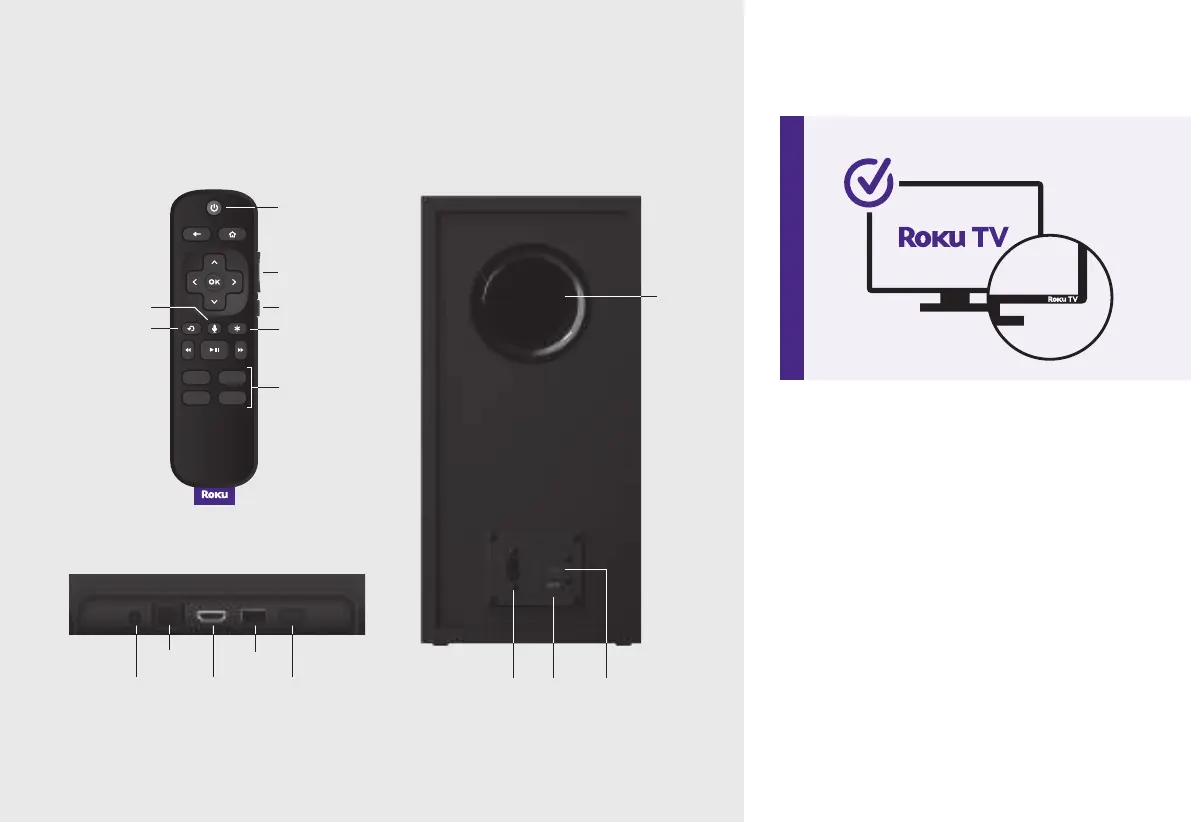
Optical
Reset
USB 2.0
HDMI-ARCPower Power Reset Status
LED
Back of Roku Streambar
Volume
Channel
shortcuts
Options
TV power
Instant replay
Mute
Voice
Remote Back of Roku Wireless Bass
Let’s start with your
Roku Streambar
Details
Acoustic
port



 To Next Page