
 Need help?
Do you have a question about the Roland CAMM-1 CM-24 and is the answer not in the manual?
Explains the meaning of WARNING and CAUTION notices used in the manual.
Describes the meaning of common safety symbols used throughout the documentation.
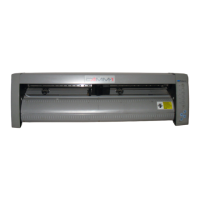
Identifies and describes the components visible on the front panel of the unit.
Identifies and describes the components visible on the rear panel of the unit.
Details the layout and function of keys, LEDs, and controls on the unit's operation panel.
Provides instructions for physically setting up the unit and establishing a connection with a computer.
Explains the configuration options available through the unit's DIP switches.
Step-by-step guide for correctly installing the cutting blade into the tool holder.
Instructions for safely powering on the cutting unit and checking the status indicators.
Detailed procedures for loading various types of media into the machine for cutting.
Guidance on loading material for extended cutting jobs requiring specific material preparation.
Describes how to define the starting point (0,0) for cutting operations on the loaded material.
How to perform a test cut to verify and adjust blade force and extension.
Details on using the pen force slider to set the appropriate cutting force for different materials.
Instructions on adjusting the cutter blade extension to achieve optimal cutting depth and prevent damage.
Steps for transferring cutting designs and instructions from a computer to the unit.
Guidance on transferring and applying the cut material onto a target surface.
Procedures to follow after cutting, including removing the blade and cleaning the unit.
Instructions for running a self-test to diagnose the operational status of the cutting machine.
Explains the rotate function for efficient material use and cutting along the vertical dimension.
Instructions on using plotter pens for creating designs on paper media with the unit.
Methods for reusing stored cutting data to repeat operations without resending from the computer.
Steps to diagnose and resolve issues when the CM-24/12 fails to power on or operate.
Interprets the blinking POWER/ERROR LED and suggests corrective actions for data errors.
Troubleshooting steps for preventing material from slipping during the cutting process.
Solutions for addressing issues related to poor or inconsistent cutting results.
Explains the cause of simultaneous blinking of PEN MODE and POWER/ERROR LEDs and how to fix it.
Diagnosing and resolving issues indicated by a flashing REPLOT LED, often related to buffer status.
 General
| Power Supply | AC adapter (100 to 240 V ±10% AC, 50/60 Hz) |
|---|---|
| Printing Method | Not applicable (cutting only) |
| Software Compatibility | other compatible software |
| Power Requirements | 100-240 V, 50/60 Hz |
| Dimensions | 210 x 160 x 100 mm |
| Maximum Cutting Speed | 300 mm/s |

 To Next Page