It all started with the MC-303 in 1996. Then, in 1998,
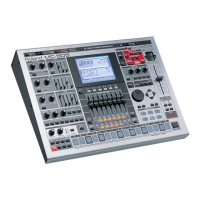
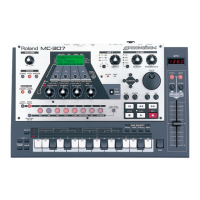
the MC-505 Groove Box exploded on the scene and
added a whole new dimension to the word "Groove."
With over 500 sounds, 64-voice polyphony, a large
sequencer capacity, extensive MIDI implementation, and
an infrared D-Beam* controller, the MC-505 is all you
need to make professional sounding grooves. The pur-
pose of this document is to help the intermediate to
advanced user probe the depths of the MC-505. We will
assume that you already have a good grasp of the basic
operations including selecting and muting patterns, as
well as writing and recording your own patterns and
songs. If you are new to the MC-505 or need to review
these basic concepts, follow along with the Quick Start
(included with your MC-505). Another good source of
basic information is the MC-505 TurboStart, which is
available from our FaxBack system (document #20070)
or from our Website (www.rolandus.com).
We will cover the following topics in this document:
I. Selecting and assigning effects on the MC-505.
II. Using the Mute function.
III. Pattern Sets and the Pattern Call function.
IV. Assigning and using the individual outputs.
V. Creating reverse drum sounds on the fly.
VI. Copying RPS patterns for additional editing.
VII. D-Beam tricks.
VII. Internet resources for MC-505 users.
MMCC--550055
AAddvvaanncceedd
PPrrooggrraammmmiinngg
SS
SS
uu
uu
pp
pp
pp
pp
ll
ll
ee
ee
mm
mm
ee
ee
nn
nn
tt
tt
aa
aa
ll
ll
NN
NN
oo
oo
tt
tt
ee
ee
ss
ss
SN90 v1.0
October 20th, 1998
®
ÂØÒÅÎ
*D-Beam controller technology has been licensed from
Interactive Light Inc.
IInnddeexx




 To Next Page

