4
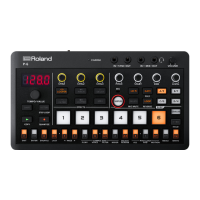
Top panel
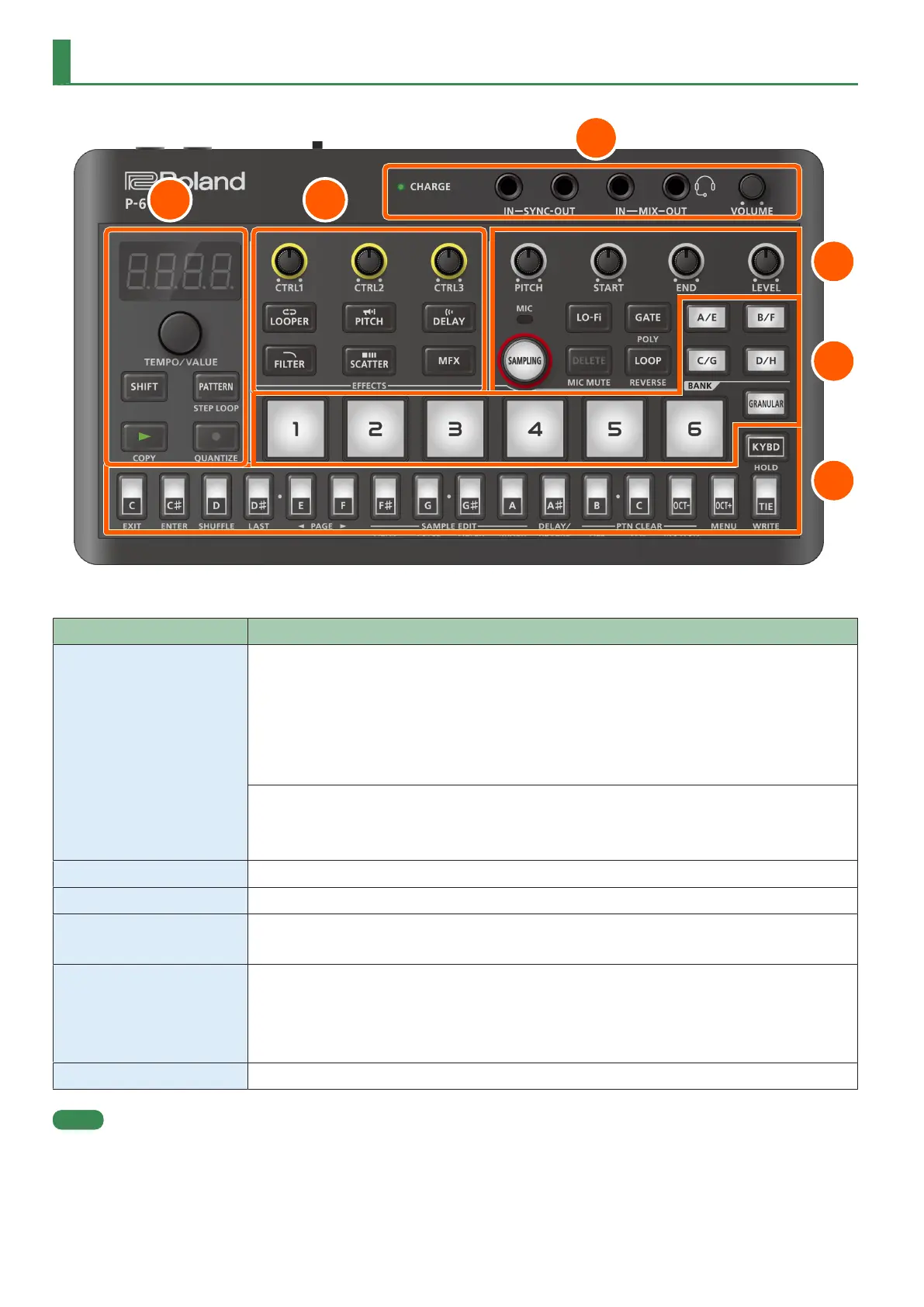
1. Ports and jacks
Controller Explanation
CHARGE indicator
When charging via USB port:
Orange (lit): Charging.
Green (lit): Charging is completed.
Greenand orange (blinking): A charging error occurred.
Please contact your dealer or Roland support.
https://www.roland.com/support/
When not charging via USB port:
Red (lit): The remaining battery power is low. Charge the battery.
The P-6 powers down within 30 minutes.
SYNC IN jack Use this jack to input synchronization signals from an external device.
SYNC OUT jack Use this jack to output synchronization signals to an external device.
MIX IN jack This is an input jack for audio signals.
The sound from connected devices is output from the MIX OUT jack.
MIX OUT / HEADSET jack This is an output jack for audio signals.
You can plug a pair of headphones into this jack.
You can also connect a headset here.
If you’ve connected a headset to this jack, the jack also functions as a MIC IN jack.
[VOLUME] knob Adjusts the volume of audio coming from the MIX OUT jack.
MEMO
¹ Use a cable with mono mini plugs to connect to/from the SYNC (IN/OUT) jacks. These jacks do not operate correctly when using a cable with
stereo mini plugs.
¹ Do not connect an audio device to the SYNC OUT jack. Doing so may cause a malfunction.
¹ If an external device is connected to the SYNC IN jack, the unit synchronizes with the clocks inputted to the SYNC IN jack, regardless of the MIDI
Clock Sync setting.


 To Next Page