EasyManua.ls Logo

Roland STUDIO M - Page 35

Roland STUDIO M
44 pages
Print Icon
To Next Page IconTo Next Page
To Previous Page IconTo Previous Page
Loading...
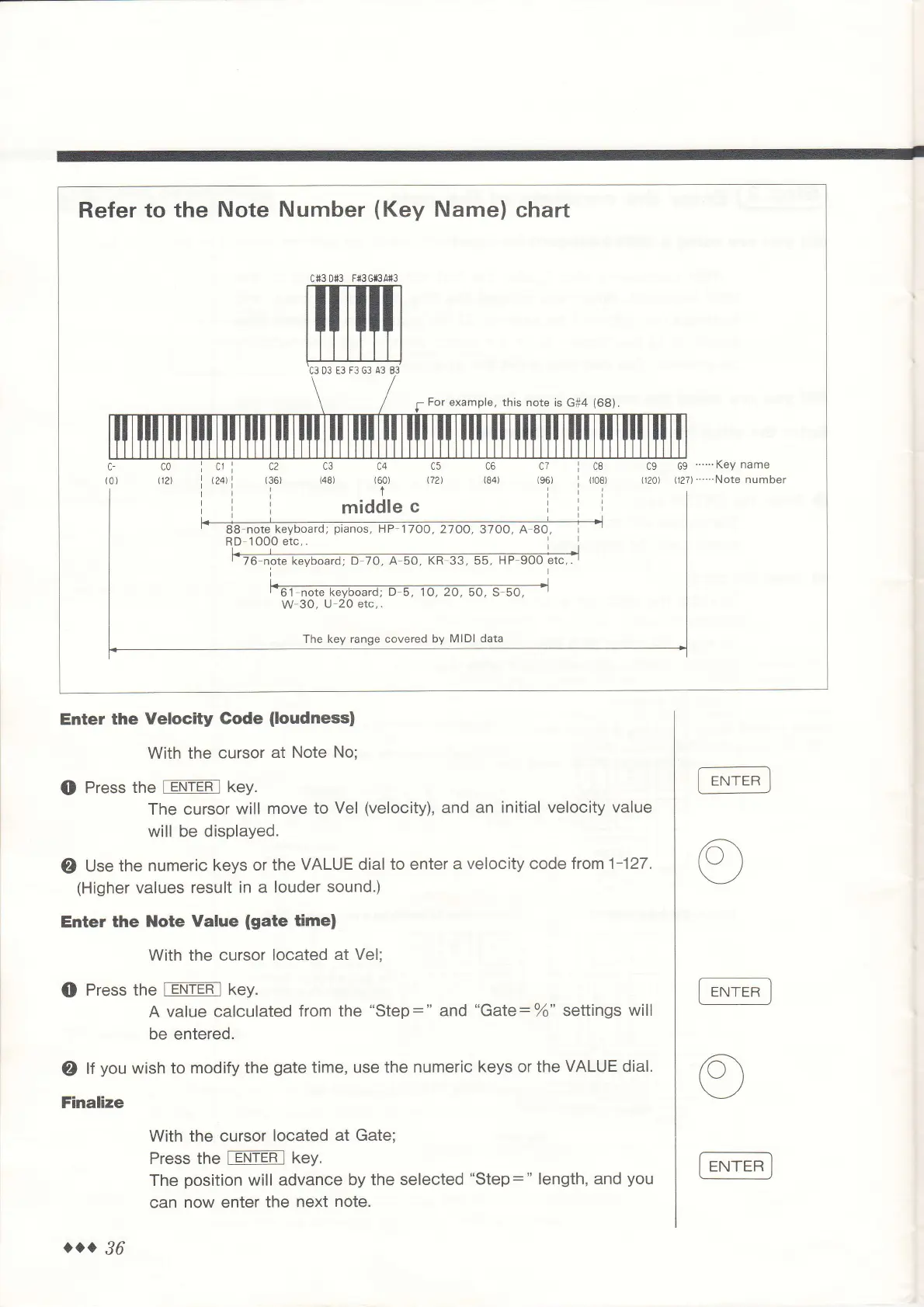
Refer
to the
Note
Number
(Key
Name)
chart
cf3D$3 F{3G*3A+3
5
For example,
this note
is G#4
(68).
Enter
the
Velocity Gode
(loudness)
With the
cursor
at Note
No;
O
Press
the
rllTEn
I keY.
The cursor
will move
to
Vel
(velocity),
and
an initial velocity value
will
be displayed.
O
Use
the
numeric keys
or the
VALUE
dial
to enter
a
velocity
code
from 1-127.
(Higher
values
result
in a louder
sound.)
Enter
the
Note Value
(gate
time)
With the cursor
located
at Vel;
O
Press the
fEJl-NTEfl key.
A
value calculated
from the
"Step:"
and
"Gate:%o"
settings
will
be
entered.
O
lf
you
wish to
modify the
gate
time, use the
numeric keys or
the
VALUE
dial.
Finalize
With the cursor
located
at Gate;
Press the
[eNTEF-l
keY.
The
position
will advance
by the
selected
"Step:"
length, and
you
can
now
enter
the
next
note.
...
36

Related product manuals