THIRD TIME ZONE DISPLAY
(setting via the bezel only):
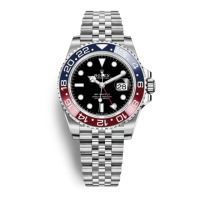
A third time zone can be displayed by
using the rotatable bezel and the 24-hour
hand. It is based on the reference time.
To display the third time zone, turn the
bezel clockwise (for a negative time
difference) or counterclockwise (for a
positive time difference) according to the
time difference between the reference
time (24-hour hand) and the time in the
desired time zone.
Example:
To show Tokyo time (
+
8 hr compared
to Geneva reference time), turn the bezel
8 notches counterclockwise.
The 24-hour hand read against the bezel
indicates the time in the third time zone.
The minutes are shown on the dial by
the minute hand.
To return to the reference time display,
turn the bezel in either direction to place
the triangle on the bezel opposite the
12 o’clock marker on the dial.




 To Next Page