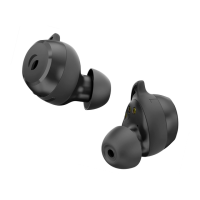
•
Accept incoming call / end a call
Accept incoming call / end a call
Press 1x
•
Reject incoming call
Press 2 sec.
•
Turn the Rolfstone Riva on
Turn the Rolfstone Riva on
Take the earbuds out of the charging case
Take the earbuds out of the charging case
•
Turn the Rolfstone Riva o
Turn the Rolfstone Riva o
Place the earbuds in the charging case.
Place the earbuds in the charging case.
Or disconnect with Bluetooth. The Rolfstone
Or disconnect with Bluetooth. The Rolfstone
Riva turns o after 5 minutes.
Riva turns o after 5 minutes.
EN 4
Functions & controls
The control button allows you to select music,
The control button allows you to select music,
control volume and make calls without touching
control volume and make calls without touching
your mobile phone.
•
Play / pause
Press 1x
•
Next track
Press 2x
•
Previous track
Press 3x
•
Volume up
Press right earbud for 2 sec.
Press right earbud for 2 sec.
•
Volume down
Press left earbud for 2 sec.
Press left earbud for 2 sec.
EN 3


 To Next Page