Minimum RAM: 4GB
Recommended RAM: 8GB
Processor: 2.5GHz Intel Core i5 or faster
For Bluetooth connectivity: OSX 10.10+
Equator Player
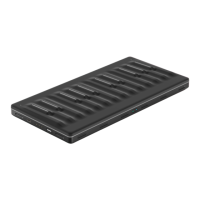
The Seaboard Block comes with Equator Player, which is based on Equator and
includes over 200 presets optimised for the Seaboard Block’s 5D touch.
Equator Player also allows you to control the most important aspects of each
preset. Equator Player is compatible with Mac OSX and Windows.
3.5 Product Registration and Setup
Once your Seaboard Block is charged, it’s ready to make music with NOISE.
Download NOISE from the Apple App Store.
Launch the iOS Settings app and ensure that your iOS device’s Bluetooth is
turned on.
Launch NOISE.
Log in to your NOISE account if you’ve already created one, or create a
new NOISE account. This will allow you to register your Blocks and access
soundpacks and bundled software.
3.5.1 Connect Blocks
Switch your Blocks on. If you are registering additional Blocks you may turn
them all on to register them simultaneously.


 To Next Page