The 15×15 LED matrix made up of individual cells (225) and covered with laser-
etched silicone which makes up the surface of the Lightpad Block and enables
users to play multidimensional or 5D Touch performances.
Live Block
A Control Block that provides quick access to music performance functions, so
creators can be more expressive in real time. The Block’s 10 buttons include
controls for switching scales and octaves, playing chords and arpeggios, and
sustaining notes in NOISE.The Live Block can also be used with BLOCKS
Dashboard to transmit MIDI CC messages in order to control digital audio
workstations and software synthesizers.
Loop Block
A Control Block that provides quick access to music production functions so
creators can easily layer sounds into a song in NOISE.The Block’s 10 buttons
include controls for setting a tempo, recording loops, and quantizing loops so
they snap in time with the tempo. The Loop Blockcan also be used with
BLOCKS Dashboard to send MMC messages to control the trasport functions of
digital audio workstations, and it can also transmit MIDI CC messages in order
to control digital audio workstations and software synthesizers.
Master Block
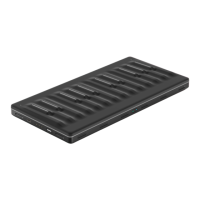
Master Blocks – including the Lightpad Block and Seaboard Block – are the
central Blocks of the BLOCKS system. To use BLOCKS you need at least one
Master Block. Additional Blocks, including Control Blocks, connect via DNA to
the Master Block.
MPE


 To Next Page