13
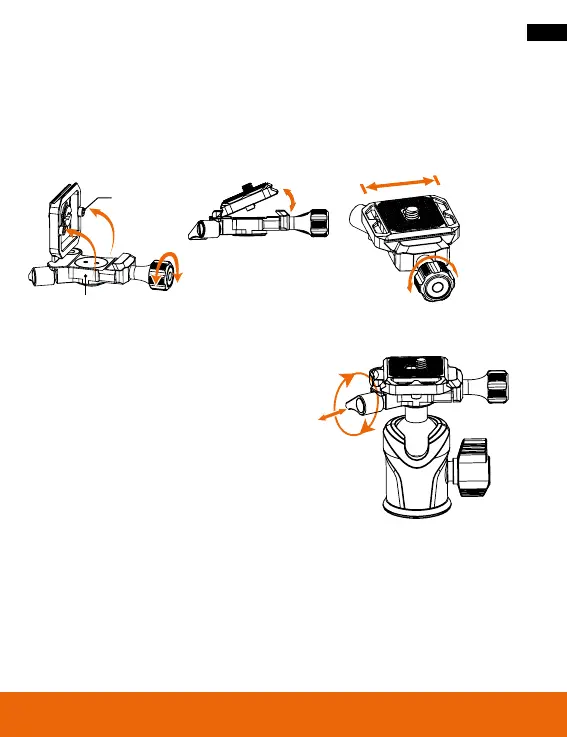
Using the Quick Release Plate
1. Loosen the knob.
2. Insert the interchangeable plate as shown in the pictures.
3. Tilt the plate to insert one side first, then the other.
4. Tighten the plate with the knob.
Adjusting the Panorama Knob
If the panorama lock knob [1] is locked but
crooked, simply pull it forward and adjust it
to the desired position.
Anti-slip screw
Anti-slip groove
Lock Lock
Stop
Stop
Tighten
Tighten







 To Next Page