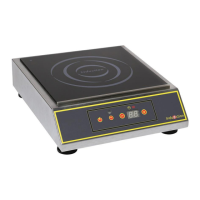
Place an induction-friendly pan on the cooktop to start using the product. The power display indicates the level of
regulation. Make sure the pan is not empty.
To adjust the power level press (+) or (-) POWER
Powers levels: form 1 to 20.
As soon as the pan is removed from the cooking zone, the display indicates the absence of the pan by a blinking.
There is close to no consumption of power. If the display flashes when the pan recovers the cooking zone, it
means that the material of the pan is not compatible with the induction technologie.
Display of specific message
The device is extremely safe. It makes a permanent control of the values of temperature and other electric
parameters to guarantee to the user the best level of performance and safety at every moment.
A flashing error code « Fx » can appear on the display to warn about a malfunctioning.
The code error flashing is effective as long as the user doesn’t stop the device manually unplug and replug the unit,
and then relaunch the device using the « On/Off » touch.
If a code error becomes permanent without having the possibility of cancelling it by trying to relaunch the device,
it is advised to get in touch with the after-sales service specified by the retailer of the product.


 To Next Page